


Google Photos is now rolling out an updated version of its “Ask Photos” search experience, but also a way to disable it altogether. Here’s how to turn off AI search in Google Photos.
“Ask Photos” first launched in late 2024 as an AI-powered way to navigate the depths of your Google Photos library. It had some great ideas, such as being able to search for specific events using the names of people that Photos can recognize, but it was also notoriously slow. Google ended up pausing the rollout for a while to rework the system, and that’s not available.
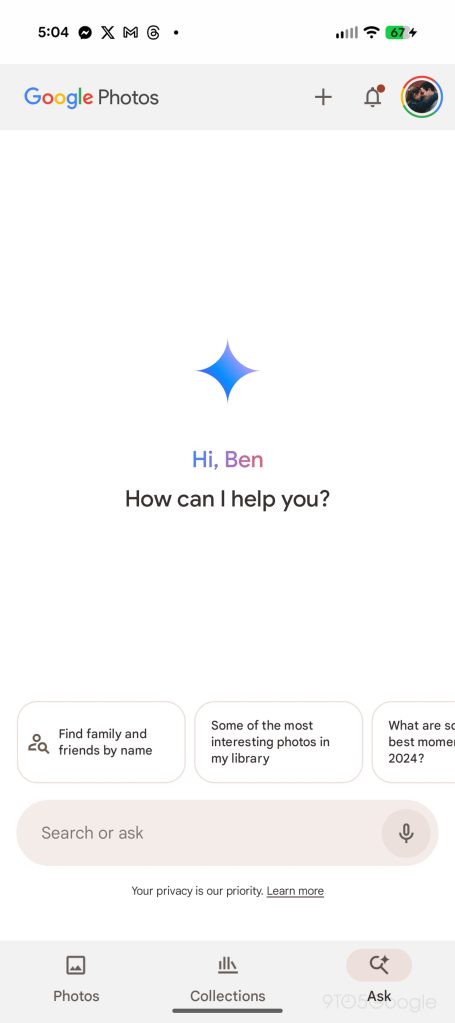
The updated “Ask Photos” experience in Google Photos is cleaner and faster. It shows results almost immediately, much like the legacy search, while then generating its AI results after the fact to expand on the search. It’s a good compromise on Google’s part, but it’s also still technically optional.
In an increasingly rare move for tech in general, Google Photos will just let you turn off AI search altogether. That is, the Gemini-integrated search. Photos has always used AI in search to some extent, but updated options let you turn off the newer stuff.
How to disable AI search features in Google Photos
First things first, you’ll need the latest Google Photos update. Google is rolling out these options via a server-side update, meaning you just need to be on the latest Google Photos version for Android or iOS and then just wait your turn. On Android, you might be able to get the feature faster by force-closing the app.
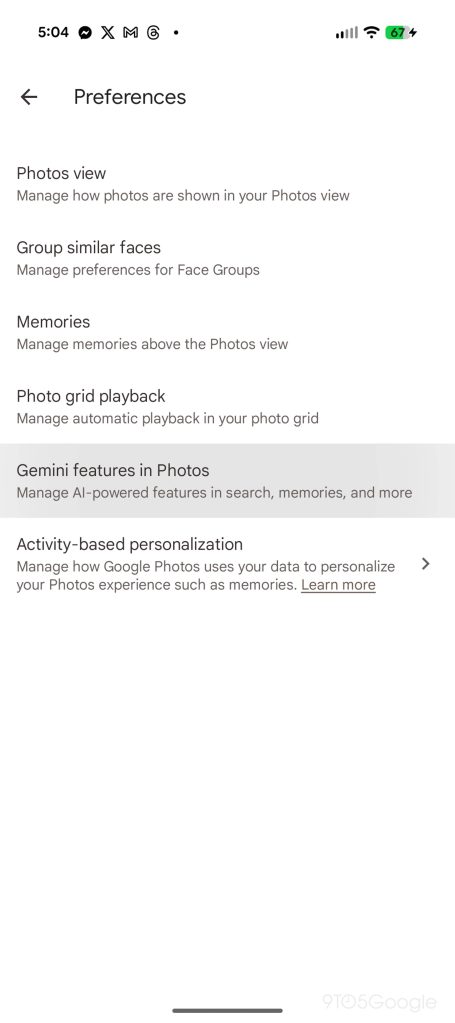
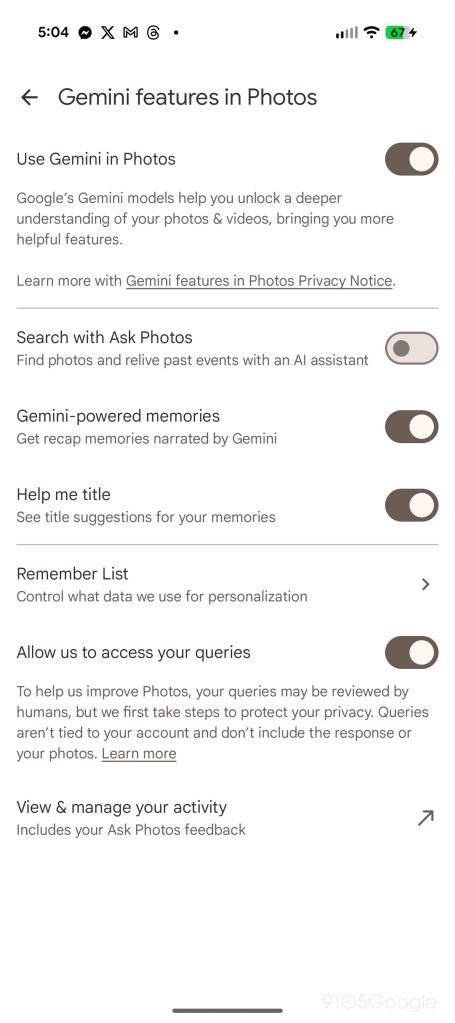
If you have the update, you’ll want to tap on your profile picture and look for “Photos settings.” On that page, tap “Preferences” and then “Gemini features in Photos.”
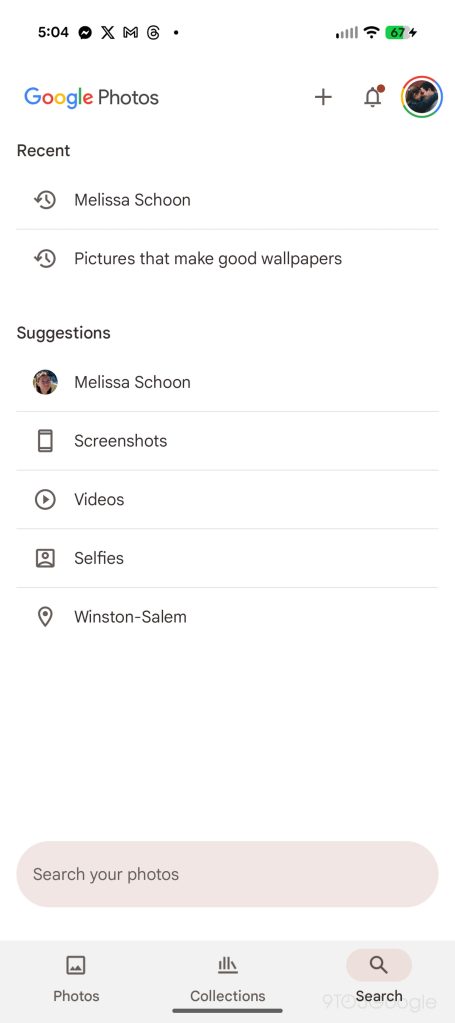
This updated section has several options within, but the one we’re specifically looking for is the toggle for “Search with Ask Photos.” Turning this setting off makes it possible to quickly and fully disable “Ask Photos.” Once flipped, the “Ask” button on the Photos bottom bar converts to “Search” and you’ll get the classic UI.
As mentioned, this is a server-side rollout that’s still ongoing, so you might not see these options just yet.
It’s certainly nice to have the choice, as the previous alternative was a relatively obscure shortcut.
More on Google Photos:
Follow Ben: Twitter/X, Threads, Bluesky, and Instagram
FTC: We use income earning auto affiliate links. More.


