


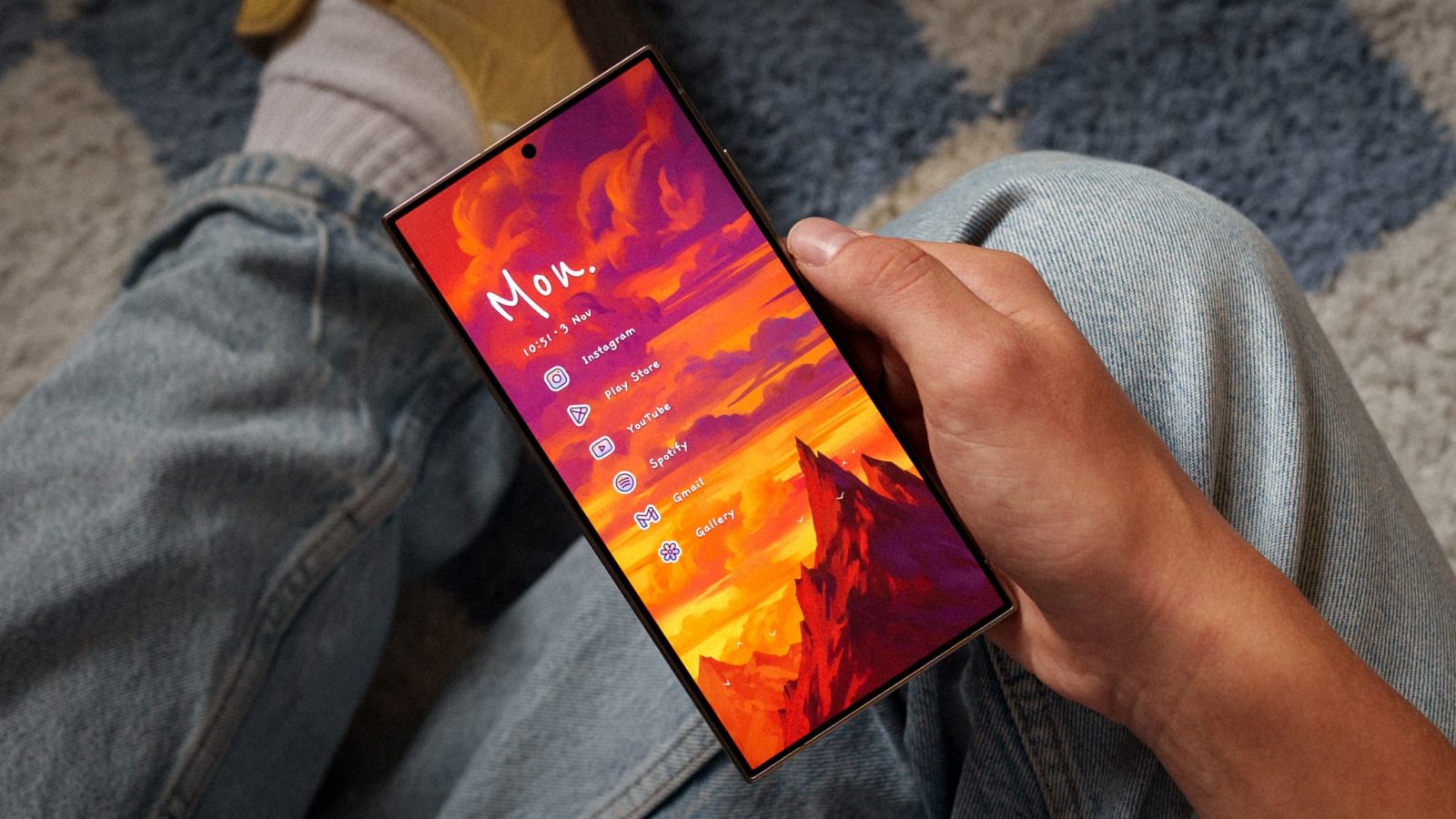
Niagara Launcher has long been one of the best alternative launchers you can find on the Play Store, and today, a new update is rolling out that brings a colorful, artistic touch to practically every aspect of the UI.
Niagara’s developer refers to today’s patch as the “Artistic Update,” and frankly, it lives up to the name. The app is getting ten brand-new themes designed to combine unique wallpapers crafted specifically for the launcher with new clocks and icons, and from these early previews, it all comes together to make something pretty exciting.
According to Niagara, this update isn’t as simple as hiring a handful of artists to craft cool pieces of art for your phone — although, obviously, that’s part of it. Because of the unorthodox layout of this launcher, certain backdrops tend to clash pretty strongly with on-screen text, including app names and notifications. These exclusive pieces of art are specifically designed to either leave space for your pinned list of applications, or use simple designs around those blocks of text to keep things looking uncluttered.
Alongside those wallpapers, Niagara has added new styles of clock widgets that both fit with these backgrounds and avoid users needing to download third-party options from the Play Store. As a frequent Niagara user, I can vouch for this change — though adding the clock design of your choice is easy enough within the app’s settings, I’m happy to see some new options built in to avoid needing to install an additional service. Previous Niagara themes are also getting these new clocks, with the ability to change or customize your layout after it’s been applied.
These wallpapers and clock widgets combine with a new dark theme icon pack to create 10 original themes you can apply through Niagara. As much as I love Material 3 Expressive on my Pixel 10, I’m pretty excited to check these out when they arrive in this latest update.
Niagara is also rolling out a handful of non-design updates, including Bing support for default search engines, headphone detection for music apps, and widget backups when restoring your launcher settings. These changes are heading to beta testers through Niagara’s community channels first, before eventually reaching the Play Store in the coming weeks.


FTC: We use income earning auto affiliate links. More.


