Home Blog Page 190

Remembering Robert Redford, in front of and behind the camera : NPR

0


Hollywood star Robert Redford died Tuesday at 89. Redford may have once been known for his glowing looks, but he was never content as a matinee idol.


ARI SHAPIRO, HOST:

Robert Redford once said, to climb up the mountain is the fun, not standing at the top. Early this morning, this man who scaled the mountain of cinema for decades died at age 89. Redford was a golden child of Hollywood, starring in dozens of movies. But he was never content just being an all-American matinee idol. He became an Oscar-winning director, founded Sundance and advocated for environmental causes before that became a Hollywood cliche. To look back on Robert Redford’s work and his legacy, I’m joined by Linda Holmes, host of NPR’s Pop Culture Happy Hour podcast and film critic Bob Mondello. So good to have you both here.

BOB MONDELLO, BYLINE: Good to be here.

LINDA HOLMES, BYLINE: Hello, Ari.

SHAPIRO: Let’s start back in the ’60s. Redford became a huge star with “Butch Cassidy And The Sundance Kid,” starring opposite Paul Newman. What version of Robert Redford did we see in that Western?

MONDELLO: Well, audiences at that point knew him as a handsome lug opposite starlets – Natalie Wood in “This Property Is Condemned,” Jane Fonda in “Barefoot In The Park,” which he’d also played on Broadway. That was a light Neil Simon comedy. So transitioning those partnership skills to a Western and to a what we would later call a bromance with Paul Newman was kind of a big jump as in the most famous scene from “Butch Cassidy And The Sundance Kid,” when they’re cornered on a ledge high above a river.

(SOUNDBITE OF FILM, “BUTCH CASSIDY AND THE SUNDANCE KID”)

ROBERT REDFORD: (As The Sundance Kid) Ready?

PAUL NEWMAN: (As Butch Cassidy) No, we’ll jump.

REDFORD: (As The Sundance Kid) Like hell we will.

MONDELLO: (Laughter).

HOLMES: Yeah. And as a buddy movie and as an adventure movie, this is a little bit subversive. I think without spoiling it fully, I’ll just say the ambiguity of the ending – its kind of lack of a clear triumph – are not really what a contemporary audience would expect if you sat them down with a film like this, right? They would expect the two guys, like, trade some quips at the end. They had a long day. That’s not what this movie is. And so in that way, it really is kind of – it was a little bit striking out from the norm.

SHAPIRO: Love your sensitivity to spoilers for a movie that came out in the ’60s.

(LAUGHTER)

SHAPIRO: Moving ahead to the ’70s, he was the centerpiece of so many huge movies. Can you just, like, go down a list of some of them?

MONDELLO: Well, there was “Jeremiah Johnson” in 1972. He sort of tamped down his beauty a bit with that beard. He was rugged in that one. “The Way We Were” in ’73 – Pauline Kael said that he was never more easy on the eyes than when you saw him through Barbra Streisand’s eyes in that one. “The Sting,” also from ’73, where he reprised his bit with Paul Newman, and it was his only nomination for best actor.

HOLMES: Yeah. And I particularly love a trio of thrillers that he made. “All The President’s Men” and “Three Days Of The Condor” are kind of classics. But I would also mention “Sneakers,” which is from 1992…

SHAPIRO: Oh, yeah.

HOLMES: …Which is a really, really fun movie with an incredibly stacked cast. Sidney Poitier is in this, David Strathairn, River Phoenix, who was very funny in one of his last movie roles, and Robert Redford. He did a kind of a callback to “Three Days Of The Condor,” in particular when he appeared in “Captain America: Winter Soldier,” which was…

SHAPIRO: Oh, fun.

HOLMES: …Very much influenced by those ’70s paranoid thrillers. And the fact that Redford kind of stepped back into that part was, I thought, very cool.

SHAPIRO: Such a huge range. But he wasn’t fully comfortable being a glamorous Hollywood star. How did he relate to that niche?

HOLMES: Well, you know, I think without reducing him to his handsomeness, he was good, at times, in sort of weaponizing that element of his physicality, right? In 1962, he was in an episode of “The Twilight Zone” called “Nothing In The Dark,” where he played death. But part of what the episode is about is that death is not ugly or scary and you don’t need to fear it because it comes in this very kind of charming young man package.

You could actually say a similar thing about “Indecent Proposal” – right? – which is a film from the ’90s that’s about a rich man, played by Redford, who pays a couple a million dollars to spend one night with the wife. And the insecurity of the husband in that film really requires Redford to be so charming and handsome that you kind of believe maybe she’s genuinely tempted by him.

SHAPIRO: Yeah.

MONDELLO: Now, if Redford were moderating this conversation, he would, at this point, want us to talk about his directing and…

SHAPIRO: (Laughter).

MONDELLO: …About Sundance.

HOLMES: (Laughter).

MONDELLO: Because he was really uncomfortable with his role as this beautiful actor.

HOLMES: Of course.

MONDELLO: And he said so. Here he is on Fresh Air, talking about that in 2013.

(SOUNDBITE OF ARCHIVED NPR CONTENT)

REDFORD: So suddenly, you’re seeing yourself in – kind of in a glamour category, and you’re saying, well, wait a minute. You know, the notion is that, well, you’re not so much of an actor. You’re just somebody that looks well. And that was always hard for me ’cause I always took pride in whatever role I was playing, I would be that character.

SHAPIRO: OK, well, let’s talk about who was he as a director.

HOLMES: Yeah, his directorial debut was a huge one, “Ordinary People” in 1980, which won best picture, and he won best director for this story about this kid played by Timothy Hutton.

(SOUNDBITE OF FILM, “ORDINARY PEOPLE”)

TIMOTHY HUTTON: (As Conrad Jarrett) I’m supposed to take care of it?

JUDD HIRSCH: (As Dr. Tyrone Berger) And that wasn’t fair, was it?

HUTTON: (As Conrad Jarrett) No. And then you say, hang on. Hang on. And then you let go.

HOLMES: Yeah, that’s a really tough story. It’s about a family that’s experiencing a lot of grief, and it could be just a lot of crying and sobbing. And there’s some of that, but I think the direction is one of the things that kind of keeps it under control.

MONDELLO: And it also made people think about psychiatry in a way they hadn’t before, at least in the films. And he saw something in Mary Tyler Moore that no one had ever seen before him. And he followed up with “Milagro Beanfield War” and “A River Runs Through It” and “Horse Whisperer” and “Quiz Show,” about TV quiz show scandals in the 1950s. And he got more Oscar nominations for that one.

SHAPIRO: And of course, you can’t talk about Redford’s legacy without talking about the Sundance Film Festival.

MONDELLO: That’s right. He championed the kind of movie that he was too big to star in himself. His presence would have sort of morphed it into something else. He liked these independent, scrappy, experimental, edgy, issue-driven films. And he made space for filmmakers like Steven Soderbergh and Ava DuVernay.

HOLMES: Yeah, I think anybody would acknowledge that Sundance has its own, you know, big money relationships to Hollywood stuff at some times, but it has definitely been a place for movies to get discovered that would have had a hard time getting discovered before.

SHAPIRO: That’s NPR’s Linda Holmes and Bob Mondello remembering Robert Redford, who has died at age 89. Thank you both.

MONDELLO: Good to be here.

HOLMES: Thank you.

Copyright © 2025 NPR. All rights reserved. Visit our website terms of use and permissions pages at www.npr.org for further information.

Accuracy and availability of NPR transcripts may vary. Transcript text may be revised to correct errors or match updates to audio. Audio on npr.org may be edited after its original broadcast or publication. The authoritative record of NPR’s programming is the audio record.


Source link

Groww, backed by Satya Nadella, set to become first Indian startup to go public after U.S.-to-India move

0


Groww, India’s largest retail brokerage firm, is set to test the country’s public markets with a multi-billion-dollar IPO. The listing comes comes just over a year after the company restructured its corporate headquarters from Delaware back to India — a move that could make it the first Indian startup to list at home following a relocation from the U.S.

Backed by Microsoft CEO Satya Nadella and marquee investors including Y Combinator, Ribbit Capital, and Tiger Global, Groww’s listing — expected later this year — is set to double as a major exit opportunity for global venture funds. The three investment firms are offloading about 236 million shares — roughly 5.6% of Groww’s total equity base — per the draft IPO documents filed on Tuesday. That makes them the single largest selling bloc, accounting for about 41% of all shares being offered to the public.

Pine Labs, Razorpay, Meesho, and Zepto are among the Indian startups that have recently shifted their base back home. Walmart-backed PhonePe relocated its headquarters from Singapore to India in 2022, while Flipkart — once its parent and also backed by Walmart — similarly announced plans to move its headquarters from Singapore to India earlier this year.

Last year, Groww became one of the first startups to shift its headquarters back to India from the U.S. The startup paid around $159 million in taxes as part of the move.

Relocating their base back home helps startups align with evolving local regulations and meet requirements for domestic stock listings. It also makes sense to tap India’s public markets, given the expanding retail investor base and rising appetite for IPOs. The trend reflects the growing maturity and attractiveness of India’s capital markets compared to overseas alternatives.

While U.S. investors plan to offload a large chunk of their holdings in Groww, founders Lalit Keshre, Harsh Jain, Neeraj Singh, and Ishan Bansal together are selling only about 4 million shares — only 0.7% of the total offer for sale, per the draft prospectus.

The small sale signals that Groww’s founders are holding on to nearly all their equity, in contrast to the established investors who are using the IPO as an exit route.

Techcrunch event

San Francisco
|
October 27-29, 2025

Groww plans to raise ₹10.6 billion (approximately $121 million) in new funding from the IPO, along with the secondary sale of 574 million shares by existing shareholders, expected to be priced at ₹5–6 billion (roughly $568–$682 million). The IPO is expected to value the Bengaluru-based company at $9 billion.

In the fiscal year ending March 31, Groww reported total income of ₹40.6 billion (about $462 million), up 45% year-on-year, with profit after tax of ₹18.2 billion (roughly $208 million). The startup had posted a net loss of about ₹8 billion (around $92 million) in the previous year, primarily due to expenses tied to its Delaware headquarters relocation.

As of June, Groww had about 37.4 million individual demat accounts (digital accounts that hold securities electronically), representing nearly 19% of India’s market, along with 12.6 million active clients on the National Stock Exchange, equal to a 26% share. The platform also counted around 17 million active systematic investment plans (SIPs, which are recurring monthly investments) and 9 million unique mutual fund investors, becoming the only investment app in the country to surpass 100 million cumulative downloads.

The offering is being advised by JPMorgan Chase, Kotak Mahindra Bank, Citigroup, Axis Bank and Motilal Oswal Investment Advisors.


Source link

NHTSA is investigating Tesla over its electronic door handles

0


Who says journalism is dead? Less than a week after Bloomberg published a damning report about Tesla’s “dangerous doors,” the US National Highway Traffic Safety Administration (NHTSA) is now looking into it. On Tuesday, the regulator said it opened an investigation into the automaker’s electrically powered doors. The problem: They stop working if the vehicle’s low-voltage battery fails.

The NHTSA’s probe will cover the 2021 Model Y, which covers an estimated 174,290 vehicles. But the agency suggested in a document that it could expand its investigation. That makes sense: Every Tesla ever made uses electrically powered door handles. So, this could potentially get very expensive for the otherwise perfectly lovable company.

Tesla uses a flush door handle design for its vehicles. A 12-volt battery powers the door’s ability to pop the handle and release the latch. It’s one of the Apple-like design details that helped the automaker become a household name. But cars aren’t iPhones, and sleekness can’t take a backseat to safety in the auto space.

Tesla vehicles have a mechanical backup system in the cabin that enables the doors to be opened manually in case of a power loss. But the manual release location varies by model and is often hard to find. And even if you do know where it is, that won’t help if a small child or pet is trapped inside.

“Although Tesla vehicles have manual door releases inside of the cabin, in these situations, a child may not be able to access or operate the releases even if the vehicle’s driver is aware of them,” the NHTSA wrote in its public summary document.

A Tesla Cybertruck parked in a lot.

Bloomberg‘s original report recounted some heinous stories of Tesla owners dealing with electronic door failures. There was an off-duty firefighter who struggled to break into a burning Model Y in 2023. The occupant was trapped in the passenger seat by airbags and couldn’t reach the manual release. Losing precious seconds due to the door design, she suffered third-degree facial burns and had lasting lung damage from smoke inhalation.

There are reportedly more. Last November in California, three college students died trapped inside a Cybertruck after it caught fire. The same month, five people in Wisconsin died inside a Model S. The cluster of bodies in the front seat suggested to the detective they may have struggled to escape.

Then, this spring in LA, a star college basketball recruit managed to escape only after kicking out a Cybertruck window when it caught fire. “I try to open the door, and the door’s not opening,” Alijah Arenas said. He was placed in a medically induced coma due to extensive smoke inhalation.

Bloomberg discovered that the NHTSA has received over 140 complaints about stuck Tesla doors since 2018. The regulator cited nine “failure reports” that led it to probe the company. In four cases, the people resorted to breaking the window. “Entrapment in a vehicle is particularly concerning in emergency situations, such as when children are entrapped in a hot vehicle,” NHTSA said.


Source link

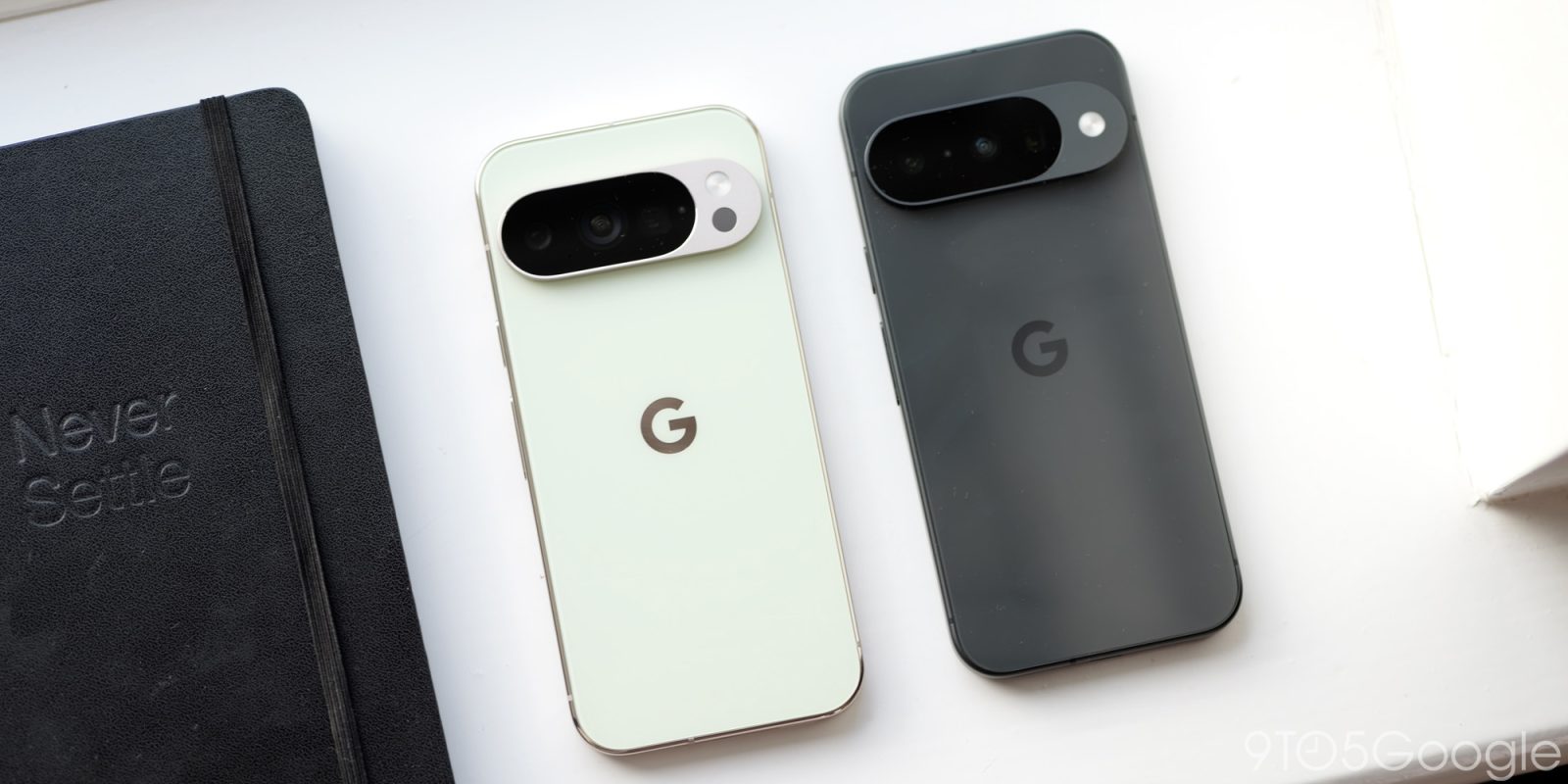
Pixel 10 and 10 Pro getting new September 2025 OTA update 

0


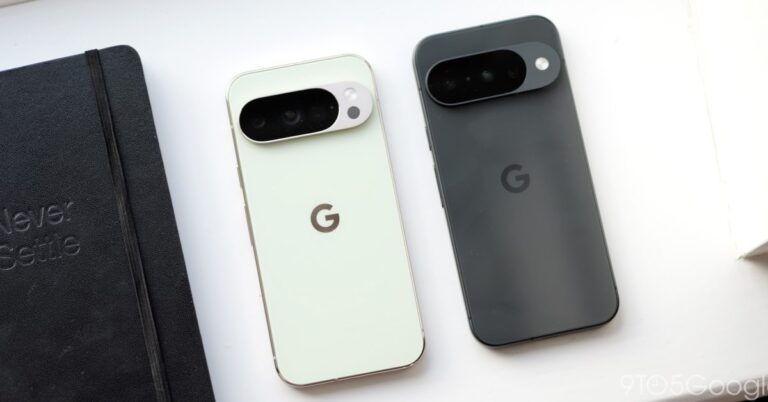
Google today is rolling out another September 2025 OTA update for the Pixel 10, 10 Pro, and 10 Pro XL.

Out of the box, the Pixel 10 series got a day one update. The new phones were already on Android 16 QPR1 (August patch). 

When the big quarterly update was released for all other devices two weeks ago, the Pixel 10 series got a small update to September 2025 security patch with these fixes:

  • Audio: General improvements for system stability and performance in certain conditions*[1]
  • Display & Graphics: Fix for issue with screen turning black during transitions from a webpage in the in-app browser under certain conditions*[5]
  • Framework: Fix for issue with the power button stops working, in certain instances when connected to Android Auto and charging via USB-C*[1]
  • System: Fix for issue occasionally causing system instability in certain conditions*[1]

Google today released another “Sep 2025” OTA update for the Pixel 10, 10 Pro, and 10 Pro XL: BD3A.250721.001.E1. It’s a small 31~ MB update, with generic release notes: “This update fixes critical bugs and improves the performance and stability of your device.”

Advertisement – scroll for more content

No other Pixel devices got updates today, so this is presumably meant to address any issues that have emerged since launch.

We’re seeing the OTA immediately when going into Settings, while Google has only posted the OTA (and not factory) images.

FTC: We use income earning auto affiliate links. More.


Source link

IRS warns taxpayers about social media scams that can result in fines, delayed refunds

0


The Internal Revenue Service recently issued a nationwide warning alerting taxpayers of the costly risks of falling victim to tax scams circulating on social media.

The consequences of following so-called “tax experts” online has cost taxpayers millions in fines — with the IRS reporting it has imposed more than 32,000 penalties costing more than $162 million.

“Since 2022, the IRS has seen a surge in questionable refund claims fueled by misleading social media posts and bad actors posing as tax experts,” the agency said.

“Many of the posts falsely claim that all taxpayers are eligible for credits they do not actually qualify for, such as those meant for self-employed individuals or businesses.”

Misinformed taxpayers following the advice of these “tax experts” has lead to an uptick in people filing for credits such as the Fuel Tax Credit and Sick and Family Leave Credit for which they do not actually qualify.

“People who follow this advice could end up with rejected claims and a penalty of up to $5,000 in addition to any other penalties that might apply,” IRS Director Return Integrity and Compliance Services James Clifford said.

How to avoid tax-related scams

The IRS advises taxpayers to “stay informed,” and be aware of how to spot these scams.

When it comes to social media scams, the IRS warns people to beware of:

  • claims “everyone” can qualify for certain tax credits
  • promises of “easy” or “fast” refunds with minimal documentation
  • posts encouraging tax[ayers to file amended returns, even if you did not originally qualify for these credits
  • advise to ignore IRS letters or respond to the agency with false information

Bottom line

When people incorrectly file their taxes, it can lead to delayed funds, denied refund claims, an IRS investigation and even a $5,000 civil penalty for filing frivolous returns.

The agency encourages people to “to be cautious when relying on social media posts,” and “always verify claims with credible sources or consult a qualified tax professional.”

If you do fall victim to a tax scam, you can amend the tax return, respond promptly to any letters from the IRS and report the scheme to the IRS by emailing phishing@irs.gov and file a complaint with the Treasury Inspector General for Tax Administration .

If you purchase a product or register for an account through a link on our site, we may receive compensation. By using this site, you consent to our User Agreement and agree that your clicks, interactions, and personal information may be collected, recorded, and/or stored by us and social media and other third-party partners in accordance with our Privacy Policy.


Source link

Robert Redford has died at age 89 : NPR

0


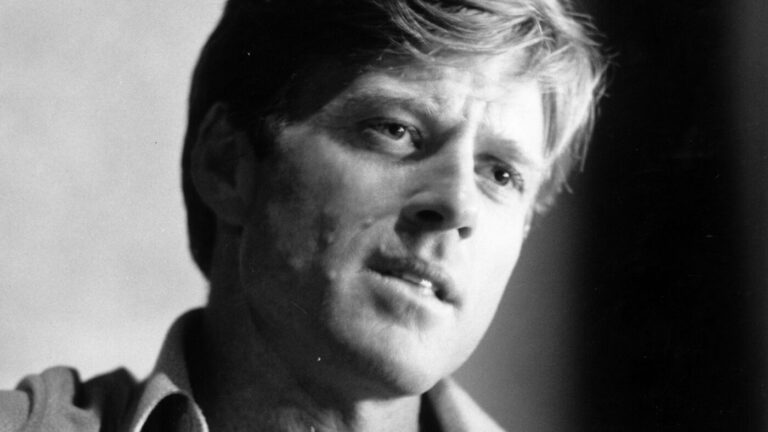
A black and white, head and shoulders photo of Robert Redford.

Robert Redford speaks at a National Film Theatre lecture in London in 1973, during filming of The Great Gatsby.

Victor Blackman/Hulton Archive/Getty Images


hide caption

toggle caption

Victor Blackman/Hulton Archive/Getty Images

Movie star and film visionary Robert Redford died at his home in Utah on Tuesday. He was 89 years old.

Inevitably, one word comes up when discussing Robert Redford: golden. Redford gleamed through more than 80 movies, many of them classics. His life included decades of activism and founding the Sundance Institute that profoundly shaped decades of independent film.

Fittingly, Redford’s history started in Los Angeles. His working-class family was the only white one on their mostly Mexican block. As a kid, Redford often misbehaved in school.

“I was constantly at the blackboard, either being punished for things I’d done wrong, and having to do repetitions of math up on the board, or I was drawing, telling a story,” he told NPR in 2003.

Redford dreamed of becoming an artist. He attended the University of Colorado, Boulder, on a baseball scholarship. He then worked on an oil rig to save up enough money to study painting in Europe for a year. When he came back to the U.S. to enroll in art school, at the Pratt Institute in New York, it was Redford’s own beauty that took up all the air in the room, says film critic Carrie Rickey.

Undated photo of Robert Redford.

Undated photo of Robert Redford.

Hulton Archive/Getty Images


hide caption

toggle caption

Hulton Archive/Getty Images

Undated photo of Robert Redford.

Undated photo of Robert Redford.

Hulton Archive/Getty Images

“They said when he walked into the cafeteria, you could drop a pin because everyone was looking at him,” she says, recalling her interviews with people who knew Redford as a student. “I think he was profoundly ambivalent about his looks and wanted to communicate that.”

Redford found his way into the theater through an interest in set design, and he was soon starring on Broadway in Neil Simon’s hit Barefoot in the Park, alongside actress Elizabeth Ashley. He reprised his role in the 1967 movie, this time alongside Jane Fonda. Along the way, Redford appeared in a number of the era’s best television shows, such as Playhouse 90, Route 66 and Alfred Hitchcock Presents, and he memorably played Death in a classic episode of The Twilight Zone. But Redford got his big break when Paul Newman and writer William Goldman campaigned for Redford to co-star in Butch Cassidy and the Sundance Kid, over the studio’s objections. (Executives found Redford’s looks generic, according to Goldman, and attempted to cast better-known actors, such as Marlon Brando, Steve McQueen and Warren Beatty.)

Butch Cassidy and the Sundance Kid turned out to be the most successful film of 1969, and it led to a string of other hits: The Sting, The Way We Were, All The President’s Men and Jeremiah Johnson, which remained one of the actor’s personal favorites. But Redford longed for a career behind the camera. He experimented with distributing documentaries directly to college film societies in the early 1970s. His debut film as a director in 1980, Ordinary People, won Redford an Oscar for best director and best picture (infamously beating Martin Scorsese and Raging Bull).

Throughout the 1980s, Redford remained one of Hollywood’s most popular and bankable actors. He starred in some of the era’s lushest period pictures, such as The Natural and Out of Africa, one of the films he made with Meryl Streep. But unlike Streep, Redford never won a single Oscar for acting, noted critic Carrie Rickey.

“He tended to be a minimalist on screen, often interrupting himself to make it sound like actual speech,” Rickey observed. “Even as he continued starring in movies, with his inimitable blend of shadowed sunshine, Redford’s offscreen ambitions found their apotheosis with the Sundance Institute. He transformed the industry by founding it in 1981. It became a launchpad for generations of film artists, too many to name, including directors Quentin Tarantino, Steven Soderbergh, Kevin Smith and Robert Rodriguez.

Will Smith talks to Robert Redford on the set of The Legend Of Bagger Vance, which Redford directed, in 2000.

Will Smith talks to Robert Redford on the set of The Legend Of Bagger Vance, which Redford directed, in 2000.

‎/Getty Images


hide caption

toggle caption

‎/Getty Images

Will Smith talks to Robert Redford on the set of The Legend Of Bagger Vance, which Redford directed, in 2000.

Will Smith talks to Robert Redford on the set of The Legend Of Bagger Vance, which Redford directed, in 2000.

‎/Getty Images

“He changed so many lives,” Rickey observed. “And he changed movies, both as a director and as the head of Sundance. Who else can say that?”

Over the years, Sundance evolved into an independent powerhouse, with prestigious programs for theater, music, Native American film and documentaries that helped produce Oscar honorees from American Dream to When We Were Kings, Summer of Soul, Citizenfour and Crip Camp.

“All the films I’ve made are about the country I live in and grew up in,” Redford told NPR in 2013. He was not interested in America as black and white or blue or red, he said. “I was interested in the gray part, where complexity lies.”

Redford said he thought celebrity led to cultural oversimplification. “It’s got a dangerous side to it,” he said. “I think that people should be paying a lot more attention to issues, rather than who’s the Top 10 this, or the Top 5, or who’s the sexiest or most beautiful or this or that.”

The things Redford cared about included the environment and Indigenous rights. A passionate and private man, he was ultimately what he always strove to be — an artist.


Source link

D-ID acquires Berlin-based video startup Simpleshow

0


Video generation and editing platform D-ID said Tuesday that it has acquired Berlin-based B2B video creation platform Simpleshow. The companies didn’t disclose financial terms of the deal.

Simpleshow’s product will operate under D-ID’s umbrella, and eventually the two platforms will merge, D-ID chief executive Gil Perry told TechCrunch.

Simpleshow, founded in 2008, has raised over $20 million in funding, according to Crunchbase data.

The startup has offices in Berlin, Luxembourg, London, Miami, Singapore, Hong Kong, and Tokyo. As part of the merger, the company will have consolidated offices in Berlin, Tel Aviv, and the United States. D-ID didn’t mention Simpleshow’s team size, but said that the combined entity will have 140 employees.

“Simpleshow initially approached us for a strategic partnership. We saw that there was synergy between management teams and products,” said Perry. “We felt that we needed to increase our speed in capturing a large [part of the enterprise avatar video] market. We thought acquiring Simpleshow would give us the necessary boost in that.”

Both companies are seeing a strong future of digital avatars for different kinds of videos, including training, marketing, and sales. D-ID already has a suite of AI-powered interactive avatars that it offers to its clients.

Simpleshow’s CEO Karsten Boehrs said that when he joined the company over a decade ago, it was largely an agency producing videos for businesses and enterprises.

“To achieve scale and serve more clients internationally, we decided to build a SaaS-based tech platform,” Boehrs told TechCrunch. “One of the first tools we launched was a text-to-video tool for our clients in 2017.”

Boehrs added that in the last few years, with the rise of AI, it started conversations with companies like Sythesia for potential partnerships and eventually landed on D-ID to get acquired.

Alongside its product, Simpleshow is also bringing more than 1,500 enterprise clients, including Adobe, Audio, Airbus, Microsoft, Bayer, HP, T-Mobile, McDonald’s, eBay, and Deutsche Bank. D-ID’s Perry mentioned that this will boost the company’s bottom line and bring it closer to profitability.

Going forward, D-ID wants to build interactive training videos, which will let users interrupt a video presented by an avatar and ask them a question or take a quiz.

D-ID has strong competition for enterprise adoption of digital avatars in companies like Sythesia and Soul Machine. Companies such as Google and McKinsey are also developing solutions to let clients use digital avatars.

D-ID has raised $60 million in funding to date. The company said it has secured funding to bankroll the acquisition, but it didn’t disclose the money.


Source link

The best budgeting apps for 2025

0


As a former Mint user, I had to find a new budgeting app not too long ago. Intuit, parent company of Mint, shut down the service in March 2024, and prompted users to transition to its other financial app, Credit Karma. However, after testing Credit Karma myself, I found it to be a poor Mint replacement — that meant I needed to branch out and look elsewhere for a trusted app to track all of my financial accounts, monitor my credit score, follow a monthly spending plan and set goals like building a rainy-day fund and paying down my mortgage faster. I tried out Mint’s top competitors in the hopes that I’d be able to find a new budgeting app that could handle all of my financial needs. Hopefully my journey can help you find the best budgeting app for you and your money as well.

Best budget apps of 2025

Image for the large product module

Quicken

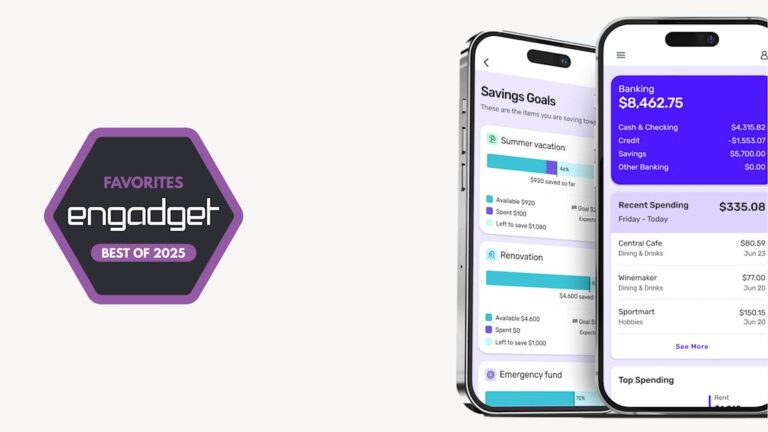
No pun intended, but what I like about Quicken Simplifi is its simplicity. Whereas other budgeting apps try to distinguish themselves with dark themes and customizable emoji, Simplifi has a clean user interface, with a landing page that you just keep scrolling through to get a detailed overview of all your stats. These include your top-line balances; net worth; recent spending; upcoming recurring payments; a snapshot of your spending plan; top spending categories; achievements; and any watchlists you’ve set up. You can also set up savings goals elsewhere in the app.

Getting set up with Simplifi was mostly painless. I was particularly impressed at how easily it connected to Fidelity; not all budget trackers do, for whatever reason. This is also one of the only services I tested that gives you the option of inviting a spouse or financial advisor to co-manage your account. However, it doesn’t connect to Zillow, a feature I wish it had. Various competitors including Monarch Money and Copilot Money work with Zillow, so clearly there’s a Zillow API available for use. As it stands, Simplifi users must add real estate manually like any other asset.

In practice, Simplifi miscategorized some of my expenses, but nothing out of the ordinary compared to any of these budget trackers. As you’re reviewing transactions, you can also mark if you’re expecting a refund, which is a unique feature among the services I tested. Simplifi also estimated my regular income better than some other apps I tested. Most of all, I appreciated the option of being able to categorize some, but not all, purchases from a merchant as recurring. For instance, I can add my two Amazon subscribe-and-saves as recurring payments, without having to create a broad-strokes rule for every Amazon purchase.

The budgeting feature is also self-explanatory. Just check that your regular income is accurate and be sure to set up recurring payments, making note of which are bills and which are subscriptions. This is important because Simplifi shows you your total take-home income as well as an “income after bills” figure. That number includes, well, bills but not discretionary subscriptions. From there, you can add spending targets by category in the “planned spending” bucket. Planned spending can also include one-time expenditures, not just monthly budgets. When you create a budget, Simplifi will suggest a number based on a six-month average.

Pros

  • Easy-to-use app with a gentle learning curve
  • Does a good job detecting recurring income and bills
  • Less expensive than the competition
  • Lets you share app access with a spouse or financial advisor
  • Handy refund tracker
Cons

  • No free trial
  • You can’t create an account using your Apple or Google ID
  • No Zillow integration

$72/year at Quicken

Image for the large product module

Monarch Money

Monarch Money grew on me. My first impression of the budgeting app, which was founded by a former Mint product manager, was that it’s more difficult to use than others on this list, including Simplifi, NerdWallet and Copilot. And it is. Editing expense categories, adding recurring transactions and creating rules, for example, is a little more complicated than it needs to be, especially in the mobile app. (My advice: Use the web app for fine-tuning details.) Monarch also didn’t get my income right; I had to edit it.

But once you’re set up, Monarch offers an impressive level of granularity. In the budgets section, you can see a bona fide balance sheet showing budgets and actuals for each category. You’ll also find a forecast, by year or by month, and recurring expenses can be set not just by merchant, but other parameters as well. For instance, while most Amazon purchases might be marked as “shopping,” those for the amounts of $54.18 or $34.18 are definitely baby supplies, and can be automatically marked as such each time, not to mention programmed as recurring payments. Weirdly, though, there’s no way to mark certain recurring payments as bills, specifically.

Not long after I first tried out all these budgeting apps, Monarch introduced a detailed reporting section where you can create on-demand graphs based on things like accounts, categories and tags. That feature is available just on the web version of the app for now. As part of this same update, Monarch added support for an aggregator that makes it possible to automatically update the value of your car. This, combined with the existing Zillow integration for tracking your home value, makes it easy to quickly add a non-liquid asset like a vehicle or real estate, and have it show up in your net worth graph.

The mobile app is mostly self-explanatory. The main dashboard shows your net worth; your four most recent transactions; a month-over-month spending comparison; income month-to-date; upcoming bills; an investments snapshot; a list of any goals you’ve set; and, finally, a link to your month-in-review. That month-in-review is more detailed than most, delving into cash flow; top income and expense categories; cash flow trends; changes to your net worth, assets and liabilities; plus asset and liability breakdowns. A newer feature here expands on the net worth graph so that if you click on the Accounts tab you can see how your net worth changed over different periods of time, including one month, three months, six months, a year or all time.

On the main screen, you’ll also find tabs for accounts, transactions, cash flow, budget and recurring. Like many of the other apps featured here, Monarch can auto-detect recurring expenses and income, even if it gets the category wrong. (They all do to an extent.) Expense categories are marked by emoji, which you can customize if you’re so inclined.

Monarch Money uses a combination of networks to connect with banks, including Plaid, MX and Finicity, a competing network owned by Mastercard. (I have a quick explainer on Plaid, the industry standard in this space, toward the end of this guide.) Monarch has also made it easier to connect through those other two networks, if for some reason Plaid fails. Similar to NerdWallet, I found myself completing two-factor authentication every time I wanted to get past the Plaid screen to add another account. Notably, Monarch is the only other app I tested that allows you to grant access to someone else in your family — likely a spouse or financial advisor.

In the iOS 17.4 update a while back, Monarch added the ability to track Apple Card, Apple Cash, and Savings accounts. It’s not the only one either; currently, Copilot and YNAB have also added similar functionality that will be available to anyone with the latest versions of their respective iOS apps. Instead of manually uploading statements, the new functionality allows apps like Monarch’s to automatically pull in transactions and balance history. That should make it easier to account for spending on Apple cards and accounts throughout the month.

Pros

  • Lots of detail and opportunities for customization
  • Helpful “goals” feature
  • You can grant account access to other people
  • Chrome extension for importing from Mint
  • Month-in-review recap is more thorough than most
  • Car value syncing
  • Zillow integration
Cons

  • Steeper learning curve than some other budget trackers
  • The mobile app feels restricted and less intuitive than the web version
  • Doesn’t seem to distinguish between bills and other recurring expenses
  • Some bugginess on mobile around creating rules for expense categories

$100 a year or $15 a month at Monarch Money

Image for the large product module

NerdWallet

You may know NerdWallet as a site that offers a mix of personal finance news, explainers and guides. I see it often when I google a financial term I don’t know and sure enough, it’s one of the sites I’m most likely to click on. As it happens, NerdWallet also has the distinction of offering one of the only free budgeting apps I tested. In fact, there is no paid version; nothing is locked behind a paywall. The main catch: There are ads everywhere.

Even with the inescapable credit card offers, NerdWallet has a clean, easy-to-understand interface on both its web and mobile apps. The key metrics that it highlights most prominently are your cash flow, net worth and credit score. I particularly enjoyed the weekly insights, which delve into things like where you spent the most money or how much you paid in fees — and how that compares to the previous month. Because this is NerdWallet, an encyclopedia of financial info, you get some particularly specific category options when setting up your accounts (think: a Roth or non-Roth IRA).

As a budgeting app, NerdWallet is more than serviceable, if a bit basic. Like other apps I tested, you can set up recurring bills. Importantly, it follows the popular 50/30/20 budgeting rule, which has you putting 50 percent of your budget toward things you need, 30 percent toward things you want, and the remaining 20 percent into savings or debt repayments.

If this works for you, great — just know that you can’t customize your budget to the same degree as some competing apps. You can’t currently create custom spending categories, though a note inside the dashboard section of the app says “you’ll be able to customize them in the future.” You also can’t move items from the wants column to “needs” or vice versa but “In the future, you’ll be able to move specific transactions to actively manage what falls into each group.” A NerdWallet spokesperson declined to provide an ETA, though.

Lastly, it’s worth noting that NerdWallet had one of the most onerous setup processes of any app I tested. I don’t think this is a dealbreaker, as you’ll only have to do it once and, hopefully, you aren’t setting up six or seven apps in tandem as I was. What made NerdWallet’s onboarding especially tedious is that every time I wanted to add an account, I had to go through a two-factor authentication process to even get past the Plaid splash screen — and that’s not including the 2FA I had set up at each of my banks. This is a security policy on NerdWallet’s end, not Plaid’s, a Plaid spokesperson says.

Precisely because NerdWallet is one of the only budget trackers to offer credit score monitoring, it also needs more of your personal info during setup, including your birthday, address, phone number and the last four digits of your social security number. It’s the same with Credit Karma, which also does credit score monitoring.

Pros

  • Free
  • Easy to use
  • Helpful weekly insights
  • NerdWallet has a deep well of helpful financial explainers and guides
  • One of the few options that offers credit score monitoring
Cons

  • Ads everywhere
  • No customization for spending categories
  • Less adept at detecting regular income
  • One of the more tedious setup processes

Free at NerdWallet

Image for the large product module

Copilot Money

Copilot Money might be the best-looking budgeting app I tested. It also has the distinction of being exclusive to iOS and Macs — at least for now. Andres Ugarte, the company’s CEO, has publicly promised that Android and web apps are coming soon. But until it follows through, I can’t recommend Copilot for most people with so many good competitors out there.

There are other features that Copilot is missing, which I’ll get into. But it is promising, and one to keep an eye on. It’s just a fast, efficient, well designed app, and Android users will be in for a treat when they’ll finally be able to download it. It makes good use of colors, emoji and graphs to help you understand at a glance how you’re doing on everything from your budgets to your investment performance to your credit card debt over time. In particular, Copilot does a better job than almost any other app of visualizing your recurring monthly expenses.

Behind those punchy colors and cutesy emoji, though, is some sophisticated performance. Copilot’s AI-powered “Intelligence” gets smarter as you go at categorizing your expenses. (You can also add your own categories, complete with your choice of emoji.) It’s not perfect. Copilot miscategorized some purchases (they all do), but it makes it easier to edit than most. On top of that, the internal search feature is very fast; it starts whittling down results in your transaction history as soon as you begin typing.

Copilot is also unique in offering Amazon and Venmo integrations, allowing you to see transaction details. With Amazon, this requires just signing into your Amazon account via an in-app browser. For Venmo, you have to set up fwd@copilot.money as a forwarding address and then create a filter, wherein emails from venmo@venmo.com are automatically forwarded to fwd@copilot.money. Like Monarch Money, you can also add any property you own and track its value through Zillow, which is integrated with the app.

While the app is heavily automated, I still appreciate that Copilot marks new transactions for review. It’s a good way to both weed out fraudulent charges, and also be somewhat intentional about your spending habits.

Like Monarch Money, Copilot updated its app to make it easier to connect to banks through networks other than Plaid. As part of the same update, Copilot said it has improved its connections to both American Express and Fidelity which, again, can be a bugbear for some budget tracking apps. Copilot also added a Mint import option, which other budgeting apps have begun to offer as well.

Because the app is relatively new (it launched in early 2020), the company is still catching up to the competition on some table-stakes features. Ugarte told me that his team is almost done building out a detailed cash flow section as well. On its website, Copilot also promises a raft of AI-powered features that build on its current “Intelligence” platform, the one that powers its smart expense categorization. These include “smart financial goals,” natural language search, a chat interface, forecasting and benchmarking. That benchmarking, Ugarte tells me, is meant to give people a sense of how they’re doing compared to other Copilot users, on both spending and investment performance.

Pros

  • Slick UI
  • Standalone Mac app
  • Lower monthly price than some competing apps
  • Does a good job visualizing recurring expenses
  • Optional Amazon, Venmo and Zillow integration
  • “To review” section is handy
Cons

  • No web or Android app yet
  • Miscategorized more expenses than our top pick
  • Lots of otherwise common features are still in development

$95 a year or $13 a month at Copilot Money

Image for the large product module

YNAB

YNAB is, by its own admission, “different from anything you’ve tried before.” The app, whose name is short for You Need a Budget, is a so-called zero-based budgeting app, which forces you to assign a purpose for every dollar you earn. It’s akin to the envelope budgeting method in that you put each dollar in an envelope and you can always move money from one envelope to another in a pinch. These buckets can include rent and utilities, along with unforeseen expenses like holiday gifts and the inevitable car repair. The idea is that if you budget a certain amount for the unknowns each month, they won’t feel like they’re sneaking up on you.

Importantly, YNAB is only concerned with the money you have in your accounts now. The app does not ask you to provide your take-home income or set up recurring income payments (although there is a way to do this). The money you will make later in the month through your salaried job is not relevant, because YNAB does not engage in forecasting.

The app is harder to learn than any other here, and it requires more ongoing effort from the user. And YNAB knows that. Inside both the mobile and web apps are links to videos and other tutorials. Although I never quite got comfortable with the user interface, I did come to appreciate YNAB’s insistence on intentionality. Forcing users to draft a new budget each month and to review each transaction is not necessarily a bad thing. As YNAB says on its website, “Sure, you’ve got pie charts showing that you spent an obscene amount of money in restaurants — but you’ve still spent an obscene amount of money in restaurants.” I can see this approach being useful for people who don’t tend to have a lot of cash in reserve at a given time, or who have spending habits they want to correct (to riff off of YNAB’s own example, ordering Seamless four times a week).

My colleague Valentina Palladino, knowing I was working on this guide, penned a respectful rebuttal, explaining why she’s been using YNAB for years. Perhaps, like her, you have major savings goals you want to achieve, whether it’s paying for a wedding or buying a house. I suggest you give her column a read. For me, though, YNAB’s approach feels like overkill.

Pros

  • Particularly strong emphasis on budgeting
  • Unique “zero-dollar” approach to financial planning that some people swear by
Cons

  • Steep learning curve
  • Harder to use certain features on the mobile app than on the web

$110 a year or $15 a month at YNAB

Other budgeting apps we tested

PocketGuard

PocketGuard used to be a solid free budget tracker, but the company has since limited its “free” version to just a free seven-day trial. Now, you’ll have to choose between two plans once the trial is over: a $13 monthly plan or a $75 annual plan. When I first tested it, I found it to be more restricted than NerdWallet, but still a decent option. The main overview screen shows you your net worth, total assets and debts; net income and total spending for the month; upcoming bills; a handy reminder of when your next paycheck lands; any debt payoff plan you have; and any goals. Like some other apps, including Quicken Simplifi, PocketGuard promotes an “after bills” approach, where you enter all of your recurring bills, and then PocketGuard shows you what’s left, and that’s what you’re supposed to be budgeting: your disposable income.

Although PocketGuard’s UI is easy enough to understand, it lacks polish. The “accounts” tab is a little busy, and doesn’t show totals for categories like cash or investments. Seemingly small details like weirdly phrased or punctuated copy occasionally make the app feel janky. More than once, it prompted me to update the app when no updates were available. The web version, meanwhile, feels like the mobile app blown up to a larger format and doesn’t take advantage of the extra screen real estate. Ultimately, now that the free tier is gone, it just doesn’t present the same value proposition as it once did.

How we test budgeting apps

Before I dove in and started testing out budgeting apps, I had to do some research. To find a list of apps to try out, I consulted trusty ol’ Google (and even trustier Reddit); read reviews of popular apps on the App Store; and also asked friends and colleagues what budget tracking apps (or other budgeting methods) they might be using for money management. Some of the apps I found were free and these, of course, show loads of ads (excuse me, “offers”) to stay in business. But most of the available apps require paid subscriptions, with prices typically topping out around $100 a year, or $15 a month. (Spoiler: My top pick is cheaper than that.)

All of the services I chose to test needed to do several things: import all of your account data into one place; offer budgeting tools; and track your spending, net worth and credit score. Except where noted, all of these apps are available for iOS, Android and on the web.

Once I had my shortlist of six apps, I got to work setting them up. For the sake of thoroughly testing these apps, I made a point of adding every account to every budgeting app, no matter how small or immaterial the balance. What ensued was a veritable Groundhog Day of two-factor authentication. Just hours of entering passwords and one-time passcodes, for the same banks half a dozen times over. Hopefully, you only have to do this once.

Budgeting app FAQs

What is Plaid and how does it work?

Each of the apps I tested uses the same underlying network, called Plaid, to pull in financial data, so it’s worth explaining what it is and how it works. Plaid was founded as a fintech startup in 2013 and is today the industry standard in connecting banks with third-party apps. Plaid works with over 12,000 financial institutions across the US, Canada and Europe. Additionally, more than 8,000 third-party apps and services rely on Plaid, the company claims.

To be clear, you don’t need a dedicated Plaid app to use it; the technology is baked into a wide array of apps, including all of the budgeting apps listed in this guide. Once you find the “add an account” option in whichever one you’re using, you’ll see a menu of commonly used banks. There’s also a search field you can use to look yours up directly. Once you find yours, you’ll be prompted to enter your login credentials. If you have two-factor authentication set up, you’ll need to enter a one-time passcode as well.

As the middleman, Plaid is a passthrough for information that may include your account balances, transaction history, account type and routing or account number. Plaid uses encryption, and says it has a policy of not selling or renting customer data to other companies. However, I would not be doing my job if I didn’t note that in 2022 Plaid was forced to pay $58 million to consumers in a class action suit for collecting “more financial data than was needed.” As part of the settlement, Plaid was compelled to change some of its business practices.

In a statement provided to Engadget, a Plaid spokesperson said the company continues to deny the allegations underpinning the lawsuit and that “the crux of the non-financial terms in the settlement are focused on us accelerating workstreams already underway related to giving people more transparency into Plaid’s role in connecting their accounts, and ensuring that our workstreams around data minimization remain on track.”

Why did Mint shut down?

When parent company Intuit announced in December 2023 that it would shut down Mint, it did not provide a reason why it made the decision to do so. It did say that Mint’s millions of users would be funneled over to its other finance app, Credit Karma. “Credit Karma is thrilled to invite all Minters to continue their financial journey on Credit Karma, where they will have access to Credit Karma’s suite of features, products, tools and services, including some of Mint’s most popular features,” Mint wrote on its product blog. In our testing, we found that Credit Karma isn’t an exact replacement for Mint — so if you’re still looking for a Mint alternative, you have some decent options.

What about Rocket Money?

Rocket Money is another free financial app that tracks spending and supports things like balance alerts and account linking. If you pay for the premium tier, the service can also help you cancel unwanted subscriptions. We did not test it for this guide, but we’ll consider it in future updates.


Source link

Gemini app rolls out ‘Tools’ prompt bar redesign on Android, iOS

0


Following the web, the Gemini app on Android and iOS has rolled out the “Tools” redesign of the prompt bar and suggestions in recent days.

Google has removed the standalone chips and three-dot button to the right of Gemini’s ‘plus’ menu. Some devices had two items, but others just had one pill and the overflow menu.

It’s replaced by a “Tools” menu (on Android you just get the icon that matches Chrome’s site info button) with a compact sheet that removes the icons and descriptions. Upon tapping, there’s a haptic vibration.

  • Create videos with Veo
  • Create images
  • Deep Research
  • Canvas
  • Guided Learning

On mobile, this approach does look cleaner and reduces the possibility of accidental taps. Google is testing another design for the prompt bar that does away with the rounded rectangle entirely and ends up matching Search’s AI Mode.

Advertisement – scroll for more content

Old vs. new

The other change is a series of suggested prompts for Create Image, Write, Build, Deep Research, and Create Video underneath the “Hello” greeting. Compared to before, this is always visible regardless of how much you use Gemini. Tapping shows four suggested prompts, with the list disappearing as you type.

After beginning to appear for beta users in recent weeks, this Gemini Tools redesign is now widely rolled out with the stable Google app on Android, and iOS.

This rollout follows Google adding the navigation drawer and search, as well as updating the overlay, on Android.

More on Gemini:

FTC: We use income earning auto affiliate links. More.


Source link

Partial solar eclipse to darken skies for the second time in September

0


September gets two eclipses that are expected to darken skies.

The first eclipse was on Sept. 7.

Then on Sept. 21, a partial solar eclipse will be seen over part of Earth’s southern hemisphere, EarthSky wrote. The eclipse should start at 17:29 Coordinated Universal Time (UTC), or 1:29 p.m. on the East Coast. The moon’s shadow should leave Earth’s surface by 21:53 UTC, or 5:53 p.m. Eastern Daylight Time.

The sun should be 85% obscured during the eclipse, EarthSky wrote. But this eclipse is expected to be visible across part of Antarctica, New Zealand and part of Australia, according to Time and Date. The rest of the globe is not expected to see the partial eclipse.

Despite being a partial eclipse, it is recommended to use proper eclipse-viewing glasses in order to watch it safely.

For anyone who wants to see the eclipse, Time and Date will film a live stream on YouTube that begins at 12 p.m.

If you purchase a product or register for an account through a link on our site, we may receive compensation. By using this site, you consent to our User Agreement and agree that your clicks, interactions, and personal information may be collected, recorded, and/or stored by us and social media and other third-party partners in accordance with our Privacy Policy.


Source link