At the start of the year, Google brought a host of new Gemini-powered features, including built-in Nano Banana image generation, to Chrome. After debuting in the United States, those features are now making their way to Chrome users in Canada, India and New Zealand, with support for 50 additional in tow. Among the new languages Gemini in Chrome can now converse in are French, Gujarati, Hindi and Spanish.
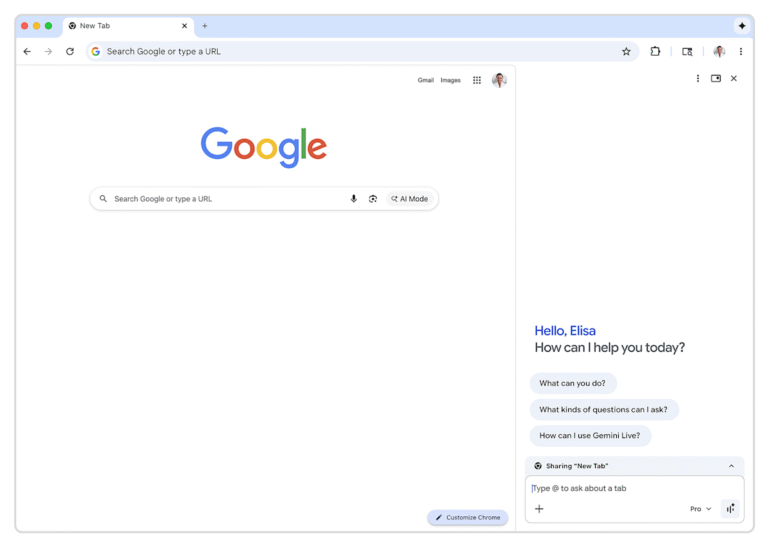
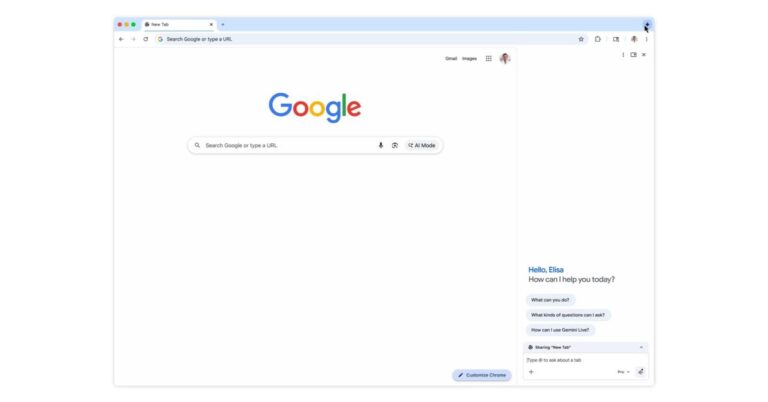
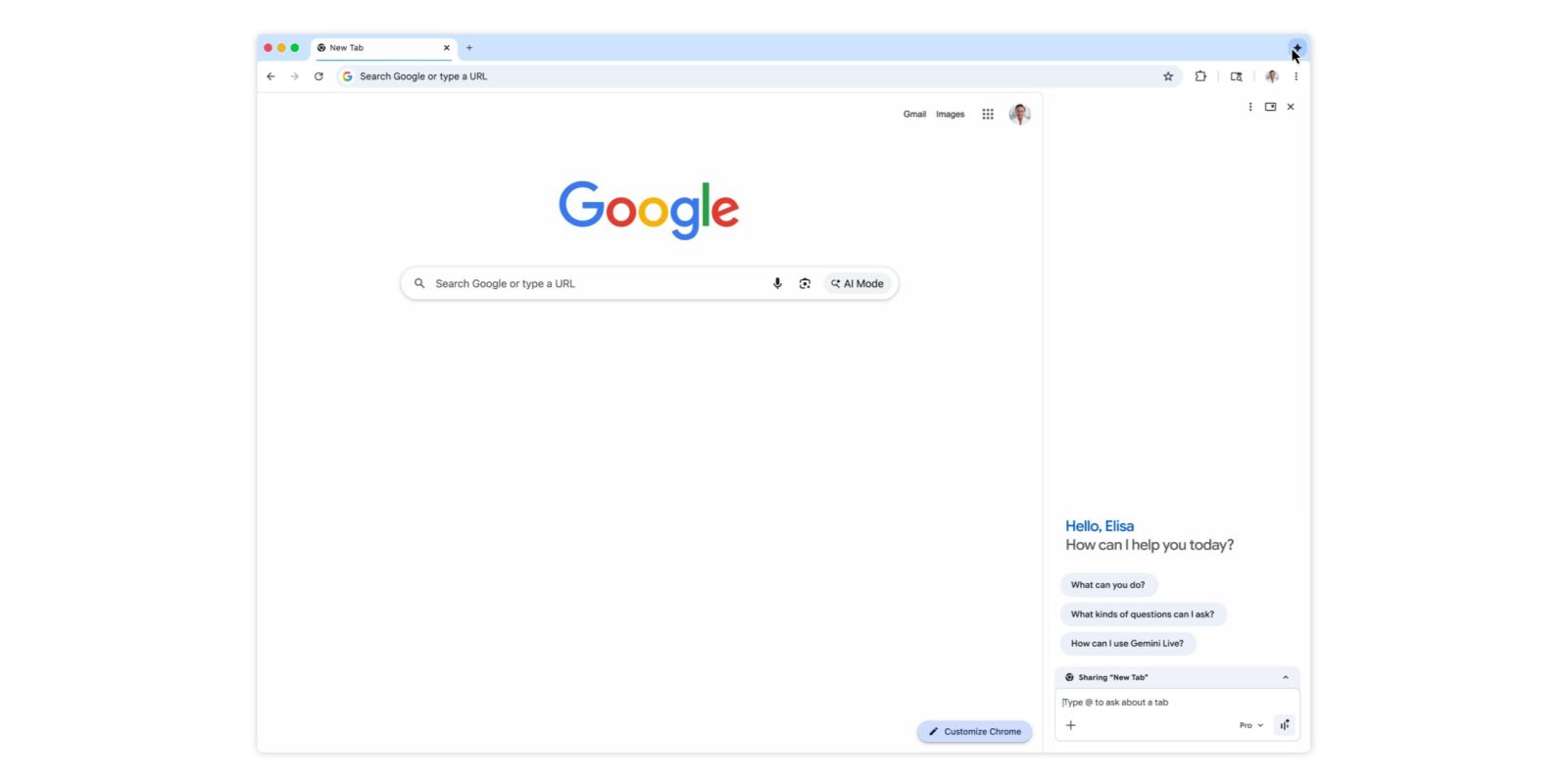
To try out Gemini in Chrome, tap the sparkle icon at the top right of the interface. This will open the sidebar interface Google introduced in January. From there, you can chat with the company’s Gemini chatbot without the need to switch tabs. From the sidebar, you can also access Google’s in-house image generator. Additionally, Gemini in Chrome offers integrations with Gmail, Maps, Calendar, YouTube and other Google apps. If you live outside Canada, India or New Zealand, Google says it will make Gemini in Chrome available in more countries and languages throughout the rest of 2026. Oh, and if don’t want to use Gemini in Chrome, you can right click on the sparkle icon and select unpin to never see it again.
After the US launch last year and big update this January, Gemini in Chrome is now coming to Canada, India, and New Zealand, as well as adding support for over 50 languages.
Gemini in Chrome can be launched from the top-right corner of the browser, keyboard shortcuts, Mac menu bar, or Windows system tray. It’s available as a floating window or side panel docked to your current tab.
Prompts can use the context of open tabs (up to 10), while Gemini in Chrome can tap into Calendar, Docs, Drive, Maps, Search, YouTube, and other Google apps. One particularly powerful integration lets you compose and send with Gmail right from the side panel.
Meanwhile, Nano Banana 2 lets you edit images without needing to upload files or open a new tab.
Advertisement – scroll for more content
On the security front, Gemini in Chrome will ask for confirmation before sending an email, adding an event to your calendar, or performing other sensitive actions.
Gemini in Chrome now supports the following languages: Afrikaans, Amharic, Bulgarian, Bengali, Catalan, Czech, Danish, German, English (UK), English (US), Greek, Spanish, Spanish (Latin America), Estonian, Basque, Finnish, Filipino, French, Galician, Gujarati, Hindi, Croatian, Hungarian, Indonesian, Icelandic, Italian, Japanese, Kannada, Korean, Lithuanian, Latvian, Malayalam, Marathi, Malay, Dutch, Norwegian, Polish, Portuguese (Brazil), Portuguese (Portugal), Romanian, Russian, Slovak, Slovenian, Serbian, Swedish, Swahili, Tamil, Telugu, Thai, Turkish, Ukrainian, Vietnamese, Chinese (Simplified), and Chinese (Traditional).
In addition to Chromebook Plus, Mac, and Windows, this expansion brings Gemini in Chrome to the iOS browser.
FTC: We use income earning auto affiliate links.More.
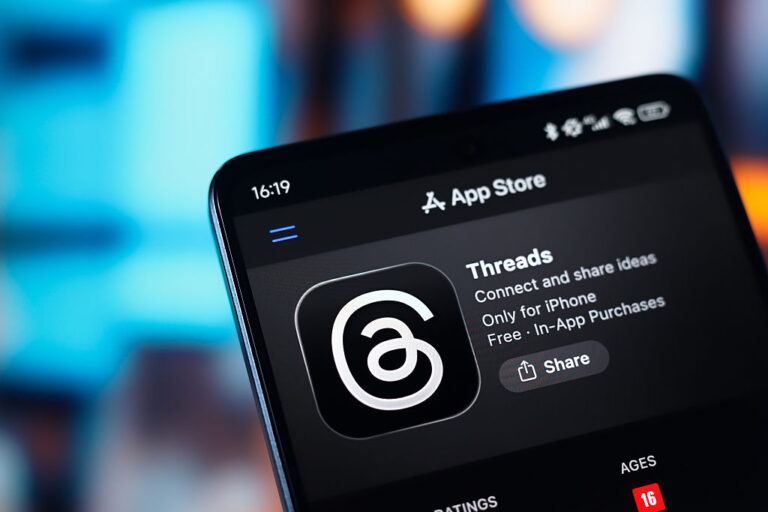
Prediction market Kalshi is making it easier for its users to have conversations on Meta’s social network Threads. Kalshi now offers a share option that will automatically embed the relevant prediction market chart into a Threads post.
Whether people want to discuss who’s going to win Best Picture or which reality TV contestant is going to go home (and possibly bet on the outcome on Kalshi), “with this integration, people can share their opinions alongside the forecasts they’re seeing on Kalshi,” the company said in a blog post.
It’s a move that echoes a successful social media strategy for both Kalshi and its biggest rival, Polymarket, on X. However, things have gotten complicated for Kalshi on X recently. In June, X named Polymarket as its “official” prediction market partner.
Last month, Kalshi removed its affiliate badges from X accounts run by its sponsored traders. This came after X enacted a policy that prohibits sponsored accounts from posting about sports betting. That policy was adopted after the prediction markets were reportedly busted for partnering with fake sports insiders who spread misinformation.
The inspector general’s office of the Social Security Administration is investigating allegations of a security breach by a member of the so-called Department of Government Efficiency operation spearheaded by Elon Musk. A whistleblower has claimed that a former software engineer from DOGE said he possessed two databases from the SSA, “Numident” and the “Master Death File.” The person reportedly asked for help transferring the databases from a thumb drive “to his personal computer so that he could ‘sanitize’ the data before using it at [the company],” an unnamed government contractor where he is currently employed. Those databases include personal information about more than 500 million living and deceased Americans.
The Washington Post reported that the whistleblower complaint was filed with the inspector general in January. “When The Post contacted the agency and the company in January, both said they had not heard of the complaint. Both said they subsequently looked into the allegations and did not find evidence to confirm the claims,” the publication said. It is unclear why the complaint is now being investigated and neither party offered comment this week for ThePost‘s article. The SSA watchdog informed both members of Congress and the Government Accountability Office of its investigation.
These allegations follow a different whistleblower complaint filed last August about DOGE access and mishandling of data from the SSA. Charles Borges, former chief data officer at the agency, claimed that a SSA database was stored in an unsecured cloud environment. “This is absolutely the worst-case scenario,” Borges told The Post of the latest claims. “There could be one or a million copies of it, and we will never know now.”
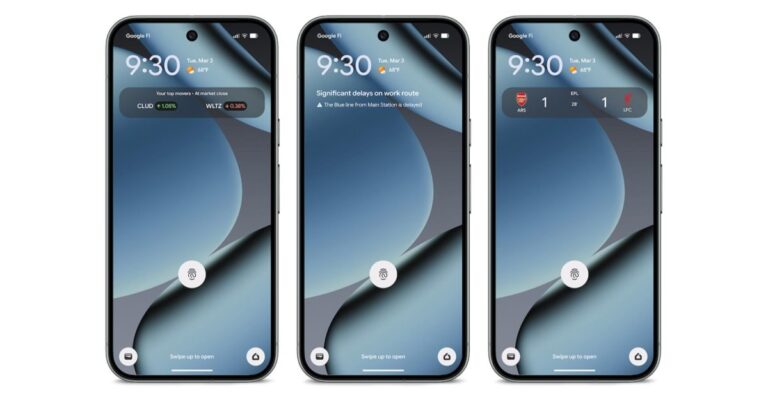
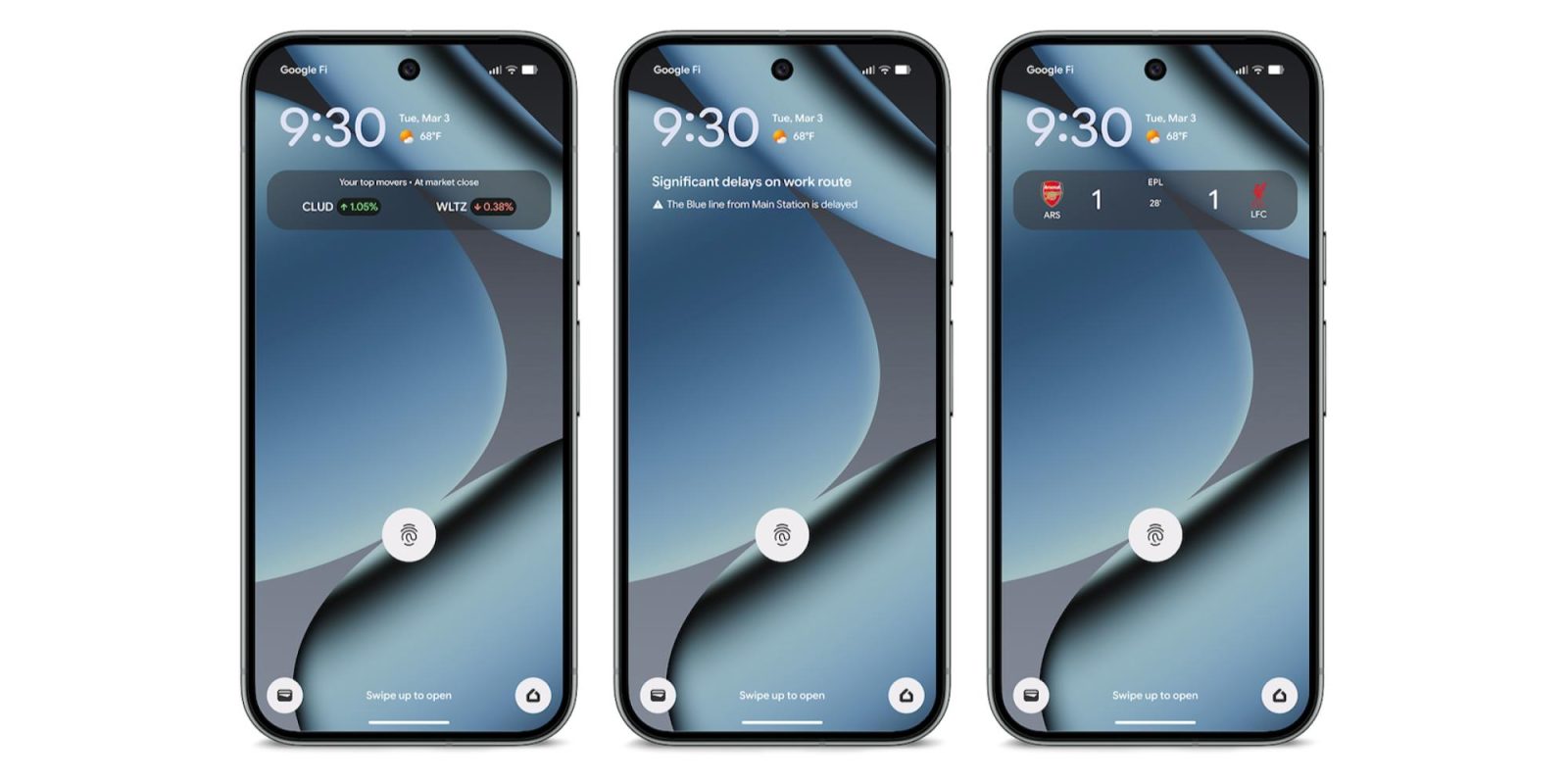
As part of the March 2026 Feature Drop, Pixel phones are getting two features to help “manage your commute,” including Transit mode.
Last week, Google publicized At a Glance showing real-time updates about commute conditions. For example, you might see “Significant delays on work route” at the top of your lock and homescreen. Google will provide specifics underneath like “The Blue line from Main Station is delayed.” This is an extension of the existing “Commute” feature that shows “Traffic info and travel time.”
The second capability is a personalized Transit mode “to turn on helpful settings while you’re on the train.” This is part of the Modes feature (like Do Not Disturb and Driving). Options include:
To set volume settings during transit, tap Sound on, Vibrate only, or Silent.
To set connectivity during transit, turn Use Bluetooth while commuting on or off
To receive all notifications, turn on Allow all notifications.
To choose who can send you notifications, tap People.
To set which apps can send you notifications, tap Apps.
To choose which alarms & other interruptions you’ll allow, tap Alarms & other interruptions.
A support document for the capability says “Google Maps needs time to learn your commute patterns” and that it “may take 2–3 weeks for commute info to appear after initial setup.” At a Glance is specifically leveraging your Maps Timeline (Location history) to learn your commute history and patterns.
Advertisement – scroll for more content
To set up Transit mode and At a Glance commute alerts through the Modes menu
To set both features up, go to Settings > Modes > Transit > App Settings > Set up commute notifications. You will need to:
Set up home and work locations.
Confirm location settings.
Build your commute profile.
As of today, we’re not seeing Transit in the Modes list, but we enabled what it will look like:
This is available on the Pixel 7 and newer:
Real-time transit info on At a Glance available only on Pixel 7 and newer, excluding Pixel Tablet. Language restrictions may apply. Available globally except Europe and the UK. Connection to Google account and Google Maps required
FTC: We use income earning auto affiliate links.More.
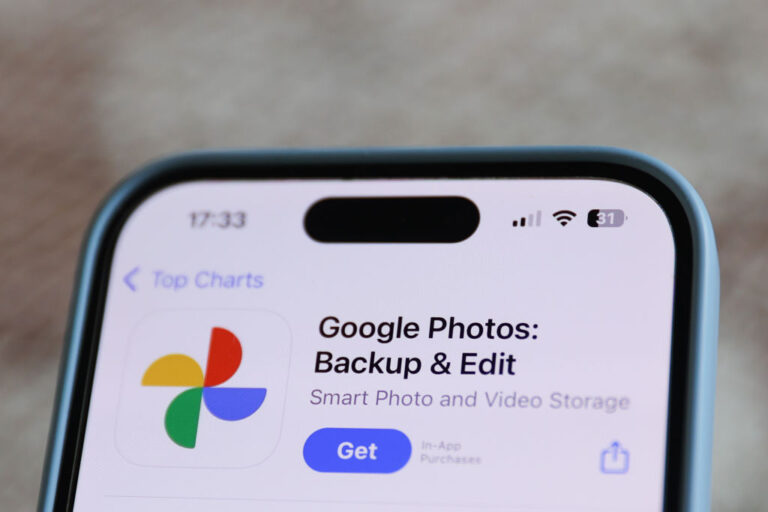
In a slight capitulation to those who don’t want AI infused into their everyday apps, Google said it’s now offering a toggle that will allow users of its Google Photos app to return to the previous and often faster “classic” search experience instead of the newer AI-powered option known as “Ask Photos.”
The Ask Photos feature, launched in the U.S. in 2024, lets users search their photos using natural language queries, including complex requests. The product’s rollout was briefly paused last summer as the company worked to address issues around latency, following user feedback.
Some Google Photos users never warmed up to the AI-powered experience, complaining that Ask Photos still failed to find some of their photos and that searches were less accurate than before.
While Google offered an option to disable the use of Gemini in Google Photos, it was buried in the settings and was often overlooked.
The company said it will offer users an easier and more visible way to switch between the two search experiences. Via a new toggle button on the search screen, users can turn the Ask Photos AI search off and view the classic results instead. Google said it will still lead with whichever results best fit the user’s query, however.
In the announcement, shared by Google Photos lead Shimrit Ben-Yair, the company suggested that the move was driven by users’ complaints about the Ask Photos feature. In a post on X, Ben-Yair wrote, “We’ve heard your feedback that you want more control over the type of results you see when searching in Google Photos.”
The exec also noted that Google had improved the quality of some of the most popular searches, also based on user feedback.
“We know search in Photos is one of the most loved and used features and we’re committed to getting this experience right, so please keep the feedback coming! It helps us build a more magical experience for everyone,” she said.
Sonos has just announced its first new products since 2024, when the company’s plans went sideways after a disastrous update to its app. First up is the Sonos Play, the company’s latest portable speaker. Long-time Sonos watchers will recognize the name from the old Play:1, Play:3 and Play:5 speakers, but this new model has little to do with those products of the past. The $299 Play is a Wi-Fi and Bluetooth speaker that sits between the $179 Roam 2 and $499 Move 2 and could be the “goldilocks” speaker in the company’s portable lineup, at least based on what I know so far.
The closest comparison for the Play is the excellent Era 100, which Sonos released back in 2023. At 7.6” tall, 4.4” wide and 3” deep, it’s much thinner than the Era 100 which is over 5 inches deep. And compared to the Move 2 (9.5” x 6.3 x 5”) it’s much more portable. That goes for weight, too — the Play is less than 3 pounds, compared to over 6.5 pounds for the Move 2. It’s not the kind of speaker you’ll throw in your bag and forget about, like the tiny Roam 2, but it’s far more portable than the Move 2. Finally, the Play is IP67 rated, just like the Roam 2. That means it can be submerged in up to a meter of water for up to 30 minutes; it’s also dustproof.
The grab handle on the back of the Sonos Play. (Sonos)
From a speaker component perspective, it’s again quite similar to the Era 100. It has two tweeters positioned at a 90-degree angle for stereo separation paired with one midwoofer; it also has two additional passive radiators to increase the bass response in its relatively small case. The Era 100 lacks those passive radiators but is otherwise identical. Obviously, we’ll have to listen to the Play before saying how closely it compares to the Era 100, but this speaker should significantly outperform the Roam 2 simply due to the increased size of its components. The Move 2, on the other hand, is extremely loud and will likely still be the best choice for people who want a speaker to cover a large outdoor space.
You’ll find familiar controls on the Sonos Play, which comes in black or white. (Fingers crossed for future color options like the lovely trio that Sonos offers on the Roam.) On the top surface are buttons for play/pause, volume up and down and a microphone toggle. On the back is a power button, a Bluetooth button and a physical switch that disconnects the microphone for increased security. Finally, there’s a new feature here: a removable plastic grab loop.
Sonos was keen to note that the Play is a full-featured member of the Sonos ecosystem. Like all of its other speakers, that means you’ll see all Sonos speakers in the app and can group them as you see fit, or have different music playing on different speakers throughout the house. You can also pair two of these in stereo. If you remove one from your network (say you’re outside and away from Wi-Fi), you’ll need to re-pair them though. In addition to controlling playback via the Sonos app (which, in my testing, is functioning fine and recovered from the 2024 debacle), you can stream music via AirPlay 2 or Spotify Connect. The Sonos Voice Assistant as well as Amazon Alexa are also on board here for anyone who likes to shout at their speakers.
The Sonos Play on its wireless charging base. (Sonos)
There’s a new trick here for both the Play and Move 2, as well. For the first time, you can group Sonos speakers together through Bluetooth. After pairing a Play to your phone via Bluetooth, you can press and hold the play/pause button on three more Play or Move 2 speakers to add them to the group. If you want to cover a larger outdoor space with multiple speakers, this sounds like a pretty handy way to do so.
The Play also has line-in via its USB-C port, and you can use it for Ethernet as well; both features require a separate adapter. You can even use the USB-C port to top up your phone if you’re so inclined. And while you can also charge via the USB-C port, the Play comes with a wireless charging dock which makes for a nice home base for the speaker’s primary location. Annoyingly, Sonos did not include a charger, so you’ll need to provide your own USB-C brick.
A pair of Sonos Era 100 SL speakers with a turntable. (Sonos)
Sonos is also adding a second, much simpler speaker to its lineup today: the Era 100 SL. Like the One SL before it, the Era 100 SL is identical to the Era 100 with one key difference. There are no microphones on it at all. As such, the Era 100 SL is also a bit cheaper, coming in at $189 compared to $219 for the standard model.
Otherwise, there are no differences in acoustic architecture or feature set here. As its most affordable speaker besides the portable Roam 2, Sonos is positioning the Era 100 SL as the ideal entry point into its products. I can’t really argue with that, as the Era 100 still sounds outstanding and is also quite flexible with features like line-in and Bluetooth as well as all the standard streaming options. Both versions of the Era 100 are compatible with each other, too — so if you get an SL and then decide you want a stereo pair, a standard Era 100 with a mic will work there and bring voice control to your system as well.
Both the $299 Play and $189 Era 100 SL are up for pre-order now, and Sonos says they’ll be shipping on March 31.
With new Gemini features, Google wants to transform Drive “from a passive storage container into an active knowledge base.” These updates are also coming to Google Slides and Sheets, starting today for AI Pro and AI Ultra subscribers, as well as Gemini Alpha business customers for US-English.
Google Drive
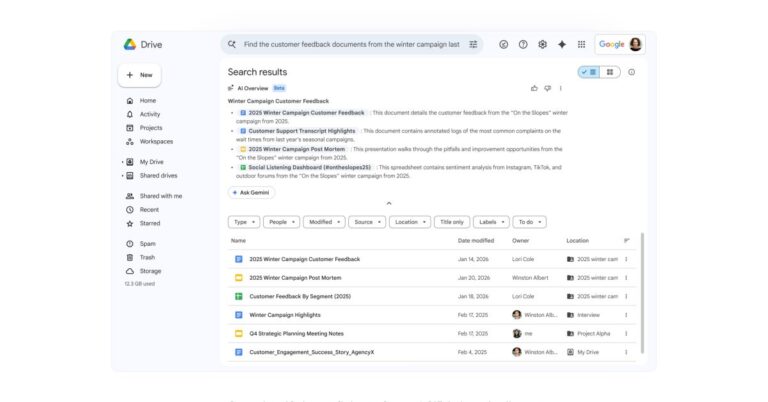
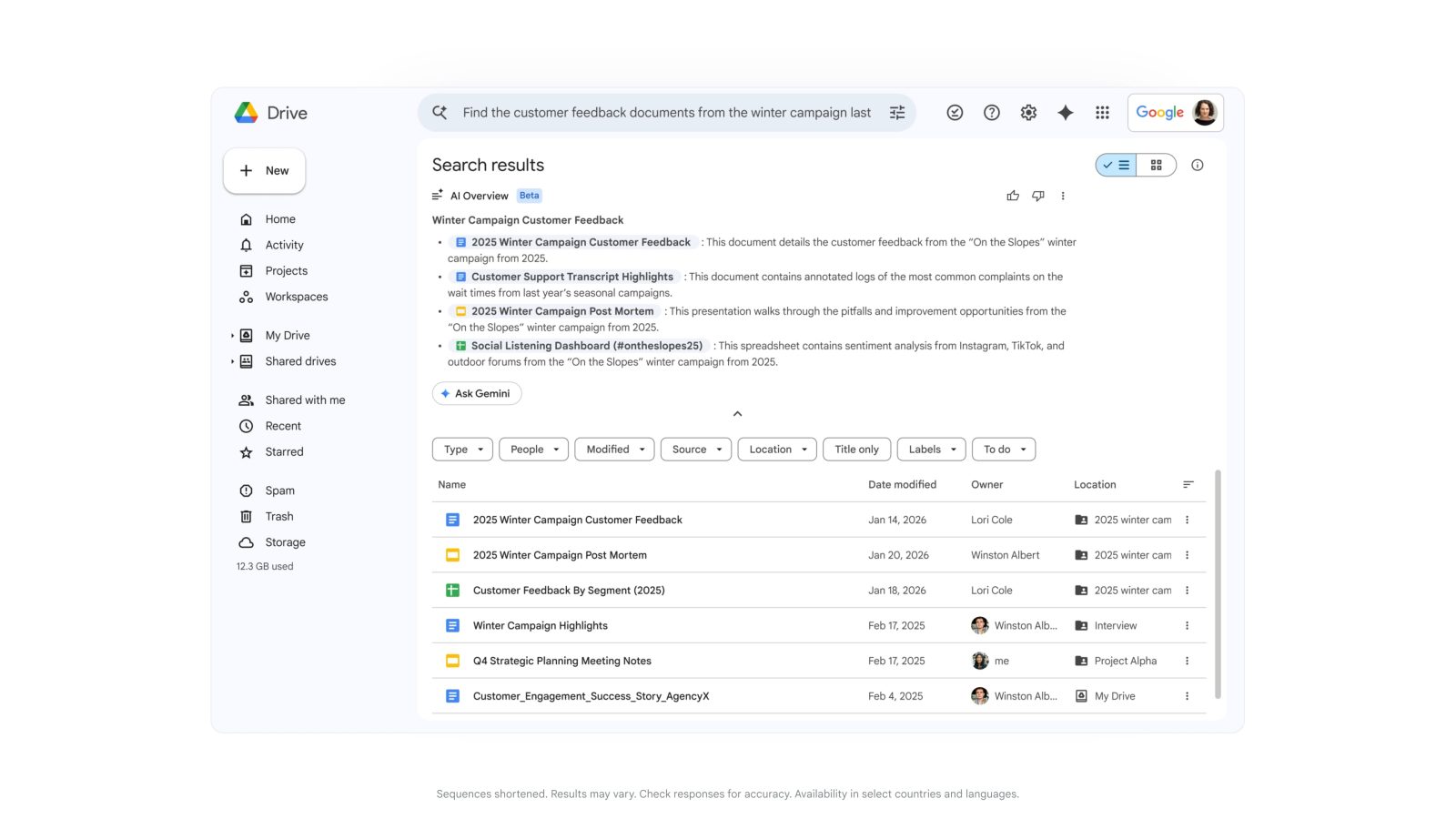
Like Gmail in January, Google Drive search is getting overhauled with AI Overviews. The goal is to replace keyword queries with semantic search that generates a “highly relevant list of documents or a complete answer with citations.”
For example you can ask “Help me find customer feedback from the winter 2025 campaign.” Gemini’s advanced reasoning pulls the answer, quickly summarizing the exact details you need.
Meanwhile, Ask Gemini in Google Drive lets you go deeper. You can “ask questions and get detailed responses, all based on the content from your files in Drive, as well as Gmail, Calendar, and Chat.” Filters let you control what sources are included and narrow to specific folders and files.
You can even save this curated list of sources as a project for you to reference later, or share with others. Projects adhere to Drive’s built-in security and compliance controls, so only those with access to the underlying content can access it in the project.
Google Slides
In Slides, Create a slide has been updated so it “aligns to your overall theme and pulls context from your files, emails and the web.” You can edit with prompts like “make this match the colors of the rest of my deck” or “make this more minimal,” while Google can transform sketches and tables into editable charts and diagrams.
Advertisement – scroll for more content
More broadly, Generate a presentation in the future will let you just enter a prompt, like “create a 5-slide deck for my upcoming Tokyo trip.” Gemini will use your Workspace data to create a “complete presentation that is on-brand in a fraction of the time it typically takes.” You can make further edits by prompting.
For example, to pitch your new campaign plan you can ask Gemini to build a presentation based on your document and a style in line with your corporate branding. Gemini instantly synthesizes the document, organizes the narrative into a presentation format, and applies visually appealing layouts to create your presentation.
Google Sheets
Finally, Gemini in Sheets will let you build or edit entire spreadsheets using natural language prompts. Google “orchestrates the complex, multi-step construction from start to finish, synthesizing data across your files, emails, and chat, and the web.”
Imagine you’re a small business and you need a quick view of last year’s financial health. You can ask Gemini to create a P&L dashboard leveraging your historic service incidents and rate cards. Gemini constructs a plan for you to approve, then retrieves the relevant details structuring the data in a well formatted spreadsheet with stylized tables and charts.
A Fill with Gemini feature can auto-populate tables with “summarized, categorized, or brand-new data from your existing sheet or the web.” It can also understand intent.
This method of populating data is 9x faster than manual entry for 100-cell tasks*.
Gemini can now handle hard analytical tasks like advanced optimization problems that “typically require complex manual formulas or third-party tools to solve” thanks to advancements from Google DeepMind and Google Research. Just describe your goal and other rules to Gemini.
For instance, you can ask Gemini to optimize your weekly employee scheduling to maximize profit while balancing staff availability and required skills. Gemini handles the complex logic to identify the best way to deploy your team.
FTC: We use income earning auto affiliate links.More.
A mass hacking campaign targeting iPhone users in Ukraine and China used tools that were likely designed by U.S. military contractor L3Harris, TechCrunch has learned. The tools, which were intended for Western spies, wound up in the hands of various hacking groups, including Russian government spooks and Chinese cybercriminals.
Last week, Google revealed that over the course of 2025 it discovered that a sophisticated iPhone-hacking toolkit had been used in a series of global attacks. The toolkit, dubbed “Coruna” by its original developer, was made of 23 different components first used “in highly targeted operations” by an unnamed government customer of an unspecified “surveillance vendor.” It was then used by Russian government spies against a limited number of Ukrainians and finally by Chinese cybercriminals “in broad-scale” campaigns with the goal of stealing money and cryptocurrency.
Researchers at mobile cybersecurity company iVerify, which independently analyzed Coruna, said they believed it may have been originally built by a company that sold it to the U.S. government.
Two former employees of government contractor L3Harris told TechCrunch that Coruna was, at least in part, developed by the company’s hacking and surveillance tech division, Trenchant. The two former employees both had knowledge of the company’s iPhone hacking tools. Both spoke on condition of anonymity because they weren’t authorized to talk about their work for the company.
“Coruna was definitely an internal name of a component,” said one former L3Harris employee, who was familiar with iPhone hacking tools as part of their work at Trenchant.
“Looking at the technical details,” this person said, referring to some of the evidence Google published, “so many are familiar.”
Contact Us
Do you have more information about Coruna, or other government hacking and spyware tools? From a non-work device, you can contact Lorenzo Franceschi-Bicchierai securely on Signal at +1 917 257 1382, or via Telegram, Keybase and Wire @lorenzofb, or by email.
The former employee said the overarching Trenchant toolkit housed several different components, including Coruna and related exploits. Another former employee confirmed that some of the details included in the published hacking toolkit came from Trenchant.
L3Harris sells Trenchant’s hacking and surveillance tools exclusively to the U.S. government and its allies in the so-called Five Eyes intelligence alliance, which includes Australia, Canada, New Zealand, and the United Kingdom. Given Trenchant’s limited number of customers, it’s possible that Coruna was originally acquired and used by one of these governments’ intelligence agencies before falling into unintended hands, though it’s unclear how much of the published Coruna hacking toolkit were developed by L3Harris Trenchant.
An L3Harris spokesperson did not respond to a request for comment.
How Coruna went from the hands of a Five Eyes government contractor to a Russian government hacking group, and then to a Chinese cybercrime gang is unclear.
Williams, a 39-year-old Australian citizen, was sentenced to seven years in prison last month, after he admitted to stealing and selling the eight Trenchant hacking tools to Operation Zero for $1.3 million.
The U.S. government said Williams, who took advantage of having “full access” to Trenchant’s networks, “betrayed” the United States and its allies. Prosecutors accused him of leaking tools that could have allowed whoever used them to “potentially access millions of computers and devices around the world,” suggesting the tools relied on vulnerabilities affecting widely used software like iOS.
Operation Zero, which was sanctioned by the U.S. government last month, claims to work exclusively with the Russian government and local companies. The U.S Treasury claimed that the Russian broker sold Williams’ “stolen tools to at least one unauthorized user.”
That would explain how the Russian espionage group, which Google has only identified as UNC6353, acquired Coruna and deployed it on compromised Ukrainian websites so that it would hack certain iPhone users from a specific geolocation who unwittingly visited the malicious site.
It is possible that once Operation Zero acquired Coruna and potentially sold it to the Russian government, the broker then resold the toolkit to someone else, perhaps another broker, another country, or even directly to cybercriminals. The Treasury alleged that a member of the Trickbot ransomware gang worked with Operation Zero, tying the broker to financially motivated hackers.
At that point, Coruna may have passed to other hands until it reached Chinese hackers. According to U.S. prosecutors, Williams recognized code that he wrote and sold to Operation Zero later being used by a South Korean broker.
the logo Kaspersky made for Operation Triangulation next to the L3Harris logo. Image: Kaspersky and L3Harris
Operation Triangulation
Google researchers wrote on Tuesday that two specific Coruna exploits and underlying vulnerabilities, called Photon and Gallium by their original developers, were used as zero-days in Operation Triangulation, a sophisticated hacking campaign allegedly used against Russian iPhone users. Operation Triangulation was first revealed by Kaspersky in 2023.
Rocky Cole, the co-founder of iVerify, told TechCrunch that “the best explanation based on what’s known right now” points to Trenchant and the U.S. government being the original developers and customers of Coruna. Although, Cole added, he isn’t claiming this “definitively.”
That assessment, he said, is based on three factors. The timeline of Coruna’s use lines up with the Williams’ leaks, the structure of three modules — Plasma, Photon, and Gallium — found in Coruna bear strong similarities with Triangulation, and Coruna re-used some of the same exploits used in that operation, he said.
According to Cole, “people close to the defense community” claim Plasma was used in Operation Triangulation, “although there’s no public evidence of that.” (Cole previously worked at the U.S. National Security Agency.)
According to Google and iVerify, Coruna was designed to hack iPhone models running iOS 13 through 17.2.1, released between September 2019 and December 2023. Those dates line up with the timeline of some of Williams’s leaks, and the discovery of Operation Triangulation.
One of the former Trenchant employees told TechCrunch that when Triangulation was first revealed in 2023, other employees at the company believed that at least one of the zero-days caught by Kaspersky “were from us, and potentially ‘ripped out’ of the” overarching project that included Coruna.
After Kaspersky published its research on Operation Triangulation, Russia’s Federal Security Service (FSB) accused the NSA of hacking “thousands” of iPhones in Russia, targeting diplomats in particular. A Kaspersky spokesperson said at the time that the company did not have information on the FSB’s claims. The spokesperson did note that “indicators of compromise” — meaning evidence of a hack — identified by the Russian National Coordination Centre for Computer Incidents (NCCCI) were the same ones that Kaspersky had identified.
Boris Larin, a security researcher at Kaspersky, told TechCrunch in an email that “despite our extensive research, we are unable to attribute Operation Triangulation to any known [Advanced Persistent Threat] group or exploit development company.”
Larin explained that Google linked Coruna to Operation Triangulation because they both exploit the same two vulnerabilities — Photon and Gallium.
“Attribution cannot be based solely on the fact of exploitation of these vulnerabilities. All the details of both vulnerabilities have long been publicly available,” and thus anyone could have taken advantage of them, he said, adding that those two shared vulnerabilities “are just the tip of the iceberg.”
Kaspersky never publicly accused the U.S. government of being behind Operation Triangulation. Curiously, the logo that the company created for the campaign — an apple logo composed of several triangles — is reminiscent of the L3Harris logo. It may not be a coincidence. Kaspersky has previously said it wouldn’t attribute a hacking campaign publicly while quietly signaling that it actually knew who was behind it, or who provided the tools for it.
In 2014, Kaspersky announced that it had caught a sophisticated and elusive government hacking group known as “Careto” (Spanish for “The Mask”). The company only said the hackers spoke Spanish. But the illustration of a mask that the company used in its report included the red and yellow colors of Spain’s flag, bull’s horns and nose ring, and castanets.
As TechCrunch revealed last year, Kaspersky researchers had privately concluded that “there was no doubt,” as one of them put it, that Careto was run by the Spanish government.
On Wednesday, cybersecurity journalist Patrick Gray said on an episode of his podcast Risky Business that he thought — based on “bits and pieces” he was confident about — that what Williams leaked to Operation Zero was the hacking kit used in the Triangulation campaign.
Apple, Google, Kaspersky, and Operation Zero did not respond to requests for comment.
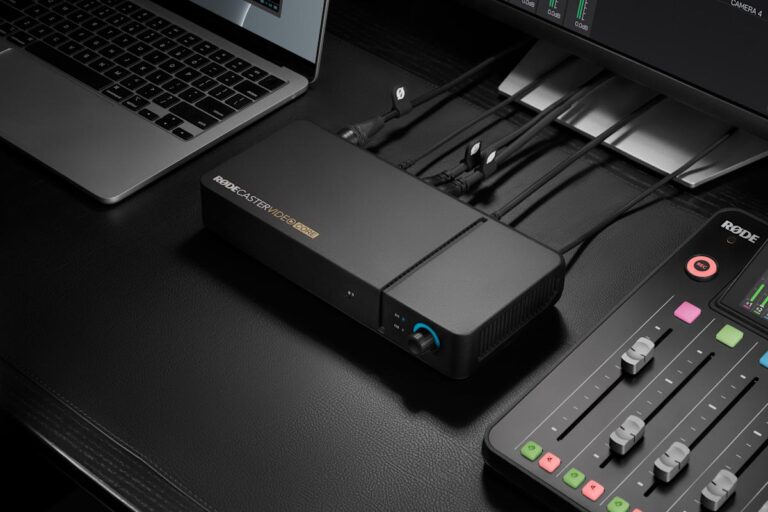
Rode’s not done releasing trimmed-down versions of its production tools with an eye on budget conscious creators. Today, it’s launching Rodecaster Video Core, an all-in-one studio setup which sits below its flagship Rodecaster Video and its (now) mid-range Video S. It’s aimed at folks who are either dipping a toe into this world, or already have audio gear and just want to broaden out to HD video as well. Arguably, the biggest change is the lack of any controls on the hardware itself, as you’ll be running the show entirely from inside the Rodecaster App.
In terms of connectivity, you’ll find three HDMI-in, one HDMI-out, four USB-C, two 3.5mm and two Neutrik combo ports ‘round back. Connect a compatible video device to a USB-C port and you’ll be able to run up to four sources at a time, and you can even use network cameras via Ethernet. Plus, you’ll be able to use the Rode Capture app to wirelessly connect the feed from an iOS device to your setup. And you’ll even be able to set it up to automatically switch between feeds based on audio inputs, reducing your need to micromanage multi-person feeds.
Rode
And, if you’re already rocking one of Rode’s audio consoles, the Rodecaster Sync app will make your life a lot easier. Essentially, if you’ve got a Rodecaster Pro 2 or Duo, you’ll be able to hook it up to your Video Core, allowing you to set shortcuts directly to your pads. In fact, you can run your audio and video setup from the one desk, hopefully reducing the amount of fiddling you need to do in the middle of your stream.
Core is designed to stream straight to YouTube, Twitch and any other platforms you’d care to use instead. You’ll be able to record your footage to an external drive and, thanks yo a new firmware update across the range, you’ll also be able to output a EDL file for DaVinci Resolve. Oh, and you’ll now be able to import media in non-standard resolutions and aspect ratios — such as square footage from social media — which will be automatically scaled and optimized for your show.
Rodecaster Video Core is available to pre-order now for $599, but there’s no word yet on when the sturdy boxes will start winging their way around the world.