Home Blog Page 295

Where Google Wallet state IDs are available + passport REAL ID

0


States across the US are slowly rolling out support for adding your driver’s license or ID to the Google Wallet app on Android. 

Update 5/31: At I/O 2025, Google reiterated that state IDs and driver’s licenses are “coming soon” to the six previously announced states/territories. The company also talked about how digital IDs can be used for age verification.

Google wants to make it possible to do that “without any possibility to link back to a user’s personal identity” through what it calls Zero-Knowledge Proof. This technology will be open-sourced for anyone to use. 

On mobile, if an app or website requests your age, it’s as simple as confirming that you want to share this information with a system sheet. On desktop web, the experience involves scanning a QR code. 

Advertisement – scroll for more content


How to add your state ID on Android 

  1. Open the Google Wallet app on Android 9+
  2. Tap the “Add to Wallet” button in the bottom-right corner
  3. Choose “ID” and then “Driver’s license or state ID” 
  4. Select your state and follow the instructions

The process involves taking a picture of the front and back of your physical card, as well as a short video of yourself for verification: a “photo from this video will be submitted to your ID issuer.”

Once approved, the ID will appear below the carousel of payment methods alongside other passes. The order can be rearranged, while you can remotely remove the ID online if your phone is missing: myaccount.google.com > Personal Info > Manage IDs.

What Google Wallet state IDs are supported 

Where state IDs are coming next

Google previously said to expect support in the following places:

Where you can use state IDs

The primary place you can use this digital ID is at TSA checkpoints in some US airports. There are two ways to do so, starting with tapping your phone at the NFC terminal. You then review the information that will be shared with the TSA and authenticate with device unlock. There’s also a QR code method that requires opening the ID in Google Wallet. 

Officially, you still have to carry the physical ID card at all times.

Some apps, like from car rental services, are beginning to accept digital IDs for identity and age verification. You again have to review and authenticate a system-level prompt before sharing that information. 

Looking ahead, the IDs can be used at DMVs in Arizona, Georgia, Maryland, and New Mexico as part of “improved and streamlined customer experiences.”

Google is also working on letting you use digital IDs to “recover Amazon accounts, access online health services with CVS and MyChart by Epic, verify profiles on platforms like Uber and more.”

Using passport as REAL ID 

Google in April pointed out how you can “use your ID pass created from a U.S. passport with TSA security for domestic travel at supported airports, even if you do not have a REAL ID driver’s license or state-issued ID.” This comes ahead of the May 7, 2025 deadline. 

To do so, open Google Wallet > Add to Wallet > ID pass. This three-step process involves taking a picture of your passport’s info page, and then scanning the security chip found inside the back cover of your passport. You also have to record a video of your face that Google will review “to make sure you’re a real person, and compare the video to your passport photo to make sure you’re the owner of the passport.”

The NFC and QR code instructions for using this digital passport ID are unchanged from above. You also have to keep the physical version on you when traveling. As a reminder, this won’t work internationally.

FTC: We use income earning auto affiliate links. More.


Source link

D-II Track & Field State Championship: Top finishers from Saturday’s events

0


The second half of the MIAA Division II track & field state championships took place on Saturday at Merrimack College.

Here are the top finishers from Saturday’s events. For the full list of results, click here.

Team Results

Boys

1. Peabody Vet. Mem. – 92

2. Marshfield – 66

3. Algonquin Reg. – 65

4. North Andover – 56

5. Catholic Memorial – 50

6. Chelmsford – 47

7. Winchester – 42

8. Arlington – 37

9. Hopkinton – 29

10. Quincy – 28

11. Bishop Feehan – 25

12. Plymouth North – 22

T-13. Bridgewater-Raynham Reg. – 21

T-13. Wellesley – 21

15. Concord-Carlisle – 19

16. King Philip Reg. – 16

17. Springfield Central – 15

18. Woburn Memorial – 14

T-19. Beverly – 12

T-19. Hingham – 12

T-19. Malden – 12

22. North Quincy – 9

23. Belmont – 7

24. Everett – 6

25. Barnstable – 5

26. Diman RVT – 4

27. Boston Latin Academy – 3

28. Essex North Shore Agricultural & Tech. – 2

  1. Whittier RVC – 1

Girls

1. North Andover – 79

2. Wellesley – 76

3. King Philip Reg. – 54

4. Arlington – 51

5. Peabody Vet. Mem. – 47

6. Winchester – 42

7. Hopkinton – 41

8. Plymouth North – 39

T-9. Algonquin Reg. – 29

T-9. Bishop Feehan – 29

11. Belmont – 27

T-12. Concord-Carlisle – 25

T-12. Essex North Shore Agricultural & Tech. – 25

15. Tantasqua Reg. – 22

16. Diman RVT – 18

T-17. Chelmsford – 16

T-17. Beverly – 16

T-19. Boston Latin Academy – 13

T-19. Marshfield – 13

T-21. North Quincy – 12

T-21. Woburn Memorial – 12

23. Barnstable – 8

T-24. Whittier RVT – 6

T-24. Waltham – 6

26. Springfield Central – 4

27. Leominster – 3

28. Quincy – 2

29. Malden – 1

Individual Results

Boys

High Jump

  1. Miles Lipka, Algonquin – 6-06.00
  2. Logan Sullivan, Hopkinton – 6-04.00
  3. Max Brown, Algonquin – 6-04.00

Shot Put

  1. Alex Jackson, Peabody – 61-05.25
  2. Areno Saint-Victor, Peabody – 52-04.50
  3. Nicholas Gallagher, King Philip Reg. – 49-04.25

Shot Put (Wheelchair)

  1. Austin Cannon, King Philip Reg. – 11-06.50

Long Jump

  1. Jameson Booker, Catholic Memorial – 23-00.25
  2. Philip Rosen, Chelmsford – 23-00.25
  3. Matthew Yen, Wellesley – 22-08.00

Javelin

  1. Gable Gray, Chelmsford – 200-06
  2. Miles Lipka, Algonquin Reg. – 181-11
  3. Tallan King, King Philip Reg. – 166-02

1-Mile

  1. Graham Heinrich, Marshfield – 4:15.39
  2. Declan Smith, Peabody – 4:21.30
  3. Matt McCabe, Marshfield – 4:23.90

400m

  1. Kaz Gallo, Plymouth North – 49.44
  2. Matthew Shaw, Bishop Feehan – 49.88
  3. Kayshaun Eveillard, Everett – 50.12

110m Hurdles

  1. Peyton Smith, Peybody – 14.96
  2. Carmelo Harrell, Springfield Central – 15.18
  3. Leo Steinberg, Quincy – 15.59

100m

  1. Nathan Looney, Marshfield – 10.535
  2. Daniel Killian, Winchester – 10.540
  3. Jameson Booker, Catholic Memorial – 10.83

4x800m relay

  1. Arlington – 8:11.49
  2. Peabody – 8:11.84
  3. Concord-Carlisle – 8:14:84

4x100m relay

  1. Catholic Memorial – 42.39
  2. Winchester – 43.15
  3. North Quincy – 43.21

4x400m relay

  1. Peabody – 3:27.71
  2. North Andover – 3:30.69
  3. Marshfield – 3:31.04

Girls

Pole Vault

  1. Eleanor Gosselin, North Andover – 9-06.00
  2. Kayla Coolidge, North Andover – 9-00.00
  3. Rory Bresson, King Philip Reg. – 9-00.00

Long Jump

  1. Annie Comella, Wellesley – 18-09.00
  2. Leila Eccher, Wellesley – 17-10.00
  3. Sara Gander, Wellesley – 17-09.50

Javelin

  1. Alessandra Forgione, Peabody – 133-05
  2. Madeline Hill, King Philip Reg. – 109-03
  3. Erin Mitchell, Bridgewater-Raynham Reg. – 102-00

Shot Put

  1. Bella Hayes, Arlington – 39-07.25
  2. Gabby Hayes, Arlington – 35-00.50
  3. Kaelyn Faber, Hopkinton – 33-10.25

High Jump

  1. Camden Strandberg, Bridgewater-Raynham Reg. – 5-04.00
  2. Bella Walkiewicz, Hopkinton – 5-04.00
  3. Grace Flatter, Diman RVT – 5-02.00

1-Mile

  1. Dana Lehr, Belmont – 4:55.38
  2. Charlotte Tuxbury, Wellesley – 4:55.79
  3. Riley Newman, Winchester – 5:04.40

400m

  1. Macey Shriner, Plymouth North – 56.01
  2. Alex D’Amadio, King Philip Reg. – 58.01
  3. Samantha Schwartz, North Andover – 59.14

100m Hurdles

  1. Grace Galbreath, Beverly – 15.47
  2. Eleanor Gosselin, North Andover – 15.59
  3. Josie Hopkins, Hopkinton – 15.95

100m

  1. Keoni Savoie, Tantasqua Reg. – 12.33
  2. Chari Wright, Barnstable – 12.57
  3. Annie Comella, Wellesley – 12.65

4x800m relay

  1. Wellesley – 9:40.56
  2. Winchester – 9:48.40
  3. Marshfield – 10:00.02

4x100m relay

  1. Essex North Shore Agricultural & Tech. – 50.37
  2. Bishop Feehan – 50.87
  3. Waltham – 51.63

4x400m relay

  1. Plymouth North – 4:06.55
  2. Bishop Feehan – 4:10.49
  3. Wellesley – 4:11.10


Source link

Left-leaning influencers embrace Bluesky without abandoning X, Pew says

0


It’s no surprise that many big, left-leaning social media accounts have recently joined Bluesky — but a new analysis from the Pew Research Center attempts to quantify that shift.

This comes as an update to Pew’s news influencer report released in November 2024, which did not include Bluesky in its numbers. The report focused on a relatively small group of 500 influencers, all of whom have more than 100,000 followers on at least one major platform and post regularly about current events.

For this Bluesky-centric update, Pew looked at those same influencers (as opposed to accounts that may have found a big audience on Bluesky exclusively) and saw that in February/March, 43% of them had an account on Bluesky. Just over half (51%) of those accounts were created after the 2024 presidential election.

There’s a big divide between influencers on the right and the left, with 69% of the left-leaning accounts (the ones that explicitly identified as liberals or Democrats and expressed support for Kamala Harris or Joe Biden before the presidential election) making the jump to Bluesky, while only 15% of the conservative ones did the same.

This movement wasn’t necessarily at the expense of X (formerly Twitter). While X owner Elon Musk’s alliance with now-President Donald Trump seemed to drive new users to Bluesky, 82% of the influencers tracked by Pew still had an account on X, down only slightly from 85% in summer 2025.

In other words, even if left-leaning influencers are dipping their toes into Bluesky, most of them (87%) haven’t abandoned X. Pew also says most influencers continue to post more regularly on X than on Bluesky.

However, Bluesky activity does appear to be picking up — the number of influencers on Bluesky who are actually posting grew from 54% in the first week of January to 66% in the last full week of March.


Source link

Harrison Ruffin Tyler, grandson of President Tyler, dies at 96 : NPR


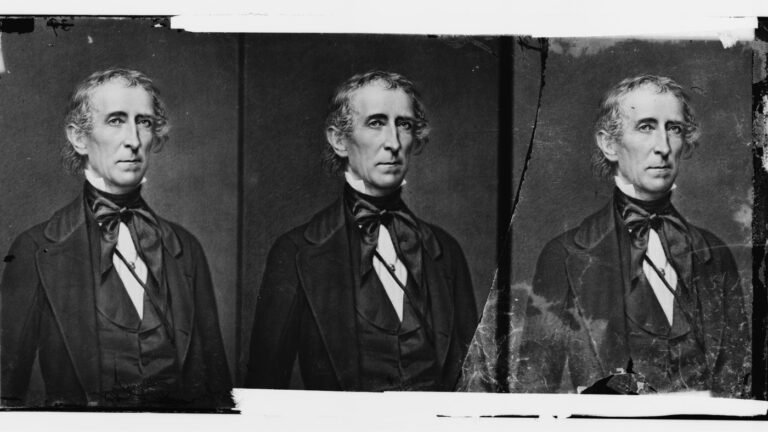
President John Tyler, circa 1860-1865.

President John Tyler, circa 1860-1865. His last surviving grandchild, Harrison Ruffin Tyler, died on Sunday.

Hulton Archive/Getty Images


hide caption

toggle caption

Hulton Archive/Getty Images

The last living grandson of President John Tyler — who left the White House in 1845 — has died.

Harrison Ruffin Tyler died Sunday at 96, according to Annique Dunning, executive director of Sherwood Forest, the Virginia property that members of the Tyler family have called home since the end of its patriarch’s presidency. Tyler had suffered strokes in recent years and died of natural causes, she said.

Tyler led a successful career as a chemical engineer before turning his attention — and newfound wealth — to preserving historical sites.

“His love of history and his birthplace, Charles City County, VA, led him to preserve both Sherwood Forest, President Tyler’s home, and Fort Pocahontas, a Civil War fortification nearby,” Dunning told NPR over email. “He will be remembered for his considerable charm, generosity and unfailing good humor by all who knew him.”

In interviews over the years, Tyler said he didn’t pay much attention to his lineage when he was younger.

“I grew up during World War II, and surviving the war and the shortages was what was on everybody’s mind,” he told Subaru Drive Magazine in 2002. “Being related to a president was never a thought.”

As he got older, however, it became a great source of pride — and amusement.

“When you talk about my grandfather born in the 1700s, there is a disconnect there,” he told a Richmond CBS affiliate in 2012, during a wave of media coverage. “It is somewhat incredulous because of the time frame.”

The Tyler family tree 

John Tyler was the 10th president of the U.S., and the first vice president to ascend to the presidency.

He took office in 1841 after William Henry Harrison died just a month into his term. Tyler’s four years in office were largely defined by his opposition to his own Whig Party, his controversial annexation of Texas and staunch support of states’ rights — and, later, the Confederacy.

Tyler had eight children with his first wife, Letitia, who died of a stroke in 1842. Two years later, he married Julia Gardiner, a New York socialite 30 years his junior.

While Gardiner initially turned down his advances, she “literally swooned into President Tyler’s arms after witnessing her father’s death in an explosion,” according to the National First Ladies Library & Museum. They had been cruising the Potomac River on a new naval warship when a gun exploded, killing six people, including cabinet secretaries and Gardiner’s father.

An engraved portrait of First Lady Julia Gardiner Tyler.

An engraved portrait of First Lady Julia Gardiner Tyler. She and President Tyler had seven children together, one of whom was Harrison Ruffin Tyler’s father.

Kean Collection/Getty Images


hide caption

toggle caption

Kean Collection/Getty Images

At the end of his term, Tyler and Gardiner moved from the White House to Sherwood Forest, about 27 miles southeast of Richmond. They had a total of seven children before his death at age 71 in 1862.

Their third-youngest, Lyon Gardiner Tyler, was born in 1853 — when his dad was 63. After the death of his first wife, Lyon Gardiner Tyler went on to marry Sue Ruffin, who was 35 years his junior and had her own notable family history: She was a direct descendant of Pocahontas and Edmund Ruffin, a prominent planter, Virginia state senator and early advocate for secession.

Harrison Ruffin Tyler — their second son — was born in 1928. His dad was 75 at the time.

Tyler made his name in chemical engineering 

Tyler showed promise in mathematics from a young age. At 16, he won a scholarship to the College of William & Mary, where his dad had served as president.

Despite Tyler’s prominent family heritage, he had a modest upbringing. His son, William, told the Washington Post in 2020, because the late president’s wealth was spread thin among his numerous heirs, and most of Tyler’s father’s wealth was “tied up in a vast book collection” that he donated to William & Mary. His college tuition was mysteriously paid by Lady Astor, whom the family had never met.

Tyler graduated with a chemistry degree in 1949, then studied chemical engineering at Virginia Tech. In 1968 he co-founded ChemTreat, an industrial water treatment company whose clients eventually included Kraft Foods, Philip Morris and the Ford Motor Company. It boasted revenues of $200 million in the fiscal year before it was acquired by Danaher Corporation in 2007.

Tyler told Virginia Tech Magazine in 2007 that he and co-founder William Simmons had three goals: “sell a product that works, hire good employees, and take care of those employees.” They made the company an Employee Stock Ownership Plan (ESOP) in 1989, and their employees gained controlling interest when they retired in 2000.

Tyler’s “accomplishments in business changed the lives of countless employees of ChemTreat,” Dunning told NPR.

Tyler’s preservation and philanthropic work 

Engraved view of Sherwood Forest, the home of President John Tyler, in Charles City County, Virginia, circa 1845.

Engraved view of Sherwood Forest, the home of President John Tyler, in Charles City County, Va., circa 1845.

Kean Collection/Getty Images


hide caption

toggle caption

Kean Collection/Getty Images

Tyler and his wife, Francis Payne Bouknight Tyler, acquired Sherwood Forest from cousins in 1975, according to Dunning. By that point it was a “shadow of its former self,” according to a database from the American Aristocracy website.

The president’s widow, Julia, fled the property during the Civil War and returned afterward to find it ransacked by Union troops and formerly enslaved people, including some the Tyler family had owned. There were 43 enslaved workers on the property as of 1860, according to Sherwood Forest.

After acquiring it in the 1970s, Tyler and his wife set about restoring the 50-acre property (about half of which is open for public tours), referring to letters and books his grandmother had used to decorate it originally. Sherwood Forest, which is now a national historic landmark, boasts the longest frame house in America, as well as a ghost named the Gray Lady.

In 1996, Tyler purchased Fort Pocahontas, a Civil War fortification a few miles from Sherwood Forest. The National Register of Historic Places says the site was “virtually untouched” for over a century until Tyler bought it. It opens to the public for a reenactment one weekend every June.

“Due to his vision, dedication, and generous support, efforts to preserve and interpret the fort continue today through Fort Pocahontas LTD, a private foundation of the Tyler family,” it added.

Tyler and his wife also donated $5 million to establish an endowment for the College of William & Mary’s history department in 2001, in memory of his father. But, citing “Lyon Gardiner Tyler’s views on the Confederacy and on slavery,” the department was renamed in honor of Tyler himself in 2021.

It says his donation underwrites research and guest lectures on a wide range of subjects, including Jewish history, imperialism, the Cold War and the histories of slavery, racism and discrimination.

“The extraordinary generosity of Harrison Ruffin Tyler — whose gift came with no limitations on the scholarly activity it would make possible — continues to bear good fruit,” the department says.

Tyler’s family ties 

Tyler acknowledged his grandfather’s complicated legacy, but also defended it. He said in a 2012 interview that Tyler is not often recognized for organizing a Peace Conference in Washington in 1861 to try to avert a civil war. When that effort failed, he was elected to the Confederate Congress but died before his term began.

“He was not a traitor to his country,” he separately told WTVR, the CBS station, that year. “John Tyler did try to promote peace wherever he could.”

He laughed off the idea of following in his family’s tradition of fathering children later in life, saying, “We’re not going that route again.”

Tyler’s wife, Frances Payne Bouknight Tyler, died in 2019. His brother, Lyon Gardiner Tyler Jr., died in 2020, making him the president’s last surviving grandson.

Harrison Ruffin Tyler is survived by three children and eight grandchildren, according to Dunning, who says Sherwood Forest will remain in the family.

“Sherwood Forest is a private foundation of the Tyler family,” she said. “Nothing will be changing about that.”




Source link

Elden Ring Nightreign’s next patch will make gameplay easier for solo players

0


Just a day after its release, FromSoftware announced a crucial patch for Elden Ring Nightreign players who prefer to solo queue. The game’s developer posted on X that Patch 1.02 will be released next week, delivering some bug fixes and “improvements for solo expeditions.”

More specifically, FromSoftware will add the effect of “Automatic Revival Upon Defeat” that allows a self-revival once per night boss battle for solo expeditions. Players will also get more runes, which should provide a more balanced gaming experience when venturing alone. This news of this patch follows several criticisms of the game being poorly optimized when playing solo, versus in a party of three as it was designed for.

FromSoftware’s titles have a reputation for being difficult, but early reviews pointed out that Nightreign offers poor scaling with certain mechanics, abilities and boss fights that cater towards a full party. Despite the millions of copies sold on the first day, Nightreign holds a “mixed” Steam user review rating thanks to the solo queue issues, along with a lack of communication tools, cross-platform play and less replayability than other Souls titles.

For FromSoftware, Elden Ring Nightreign represents a stylistic shift into the roguelike genre based on its best-selling predecessor and it might still be working out some of the kinks. The game’s director, Junya Ishizaki, told IGN in an interview that jumping into an expedition as a duo was “overlooked during development” but is something that the developer is looking at and considering for post-launch support. Some players are also having issues with matchmaking itself, where FromSoftware recommends restarting the process to get into an expedition. As for rebalancing for solo play, FromSoftware said that more details about this upcoming patch will come next week.


Source link

Google Fi takes 50% off Unlimited Essentials, from $17.50/month

0


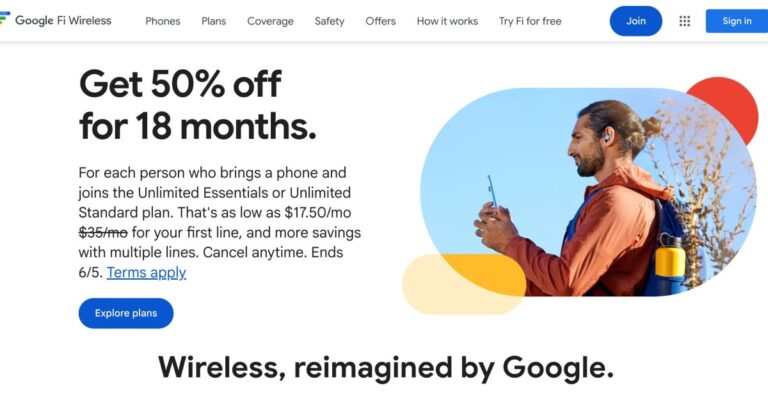
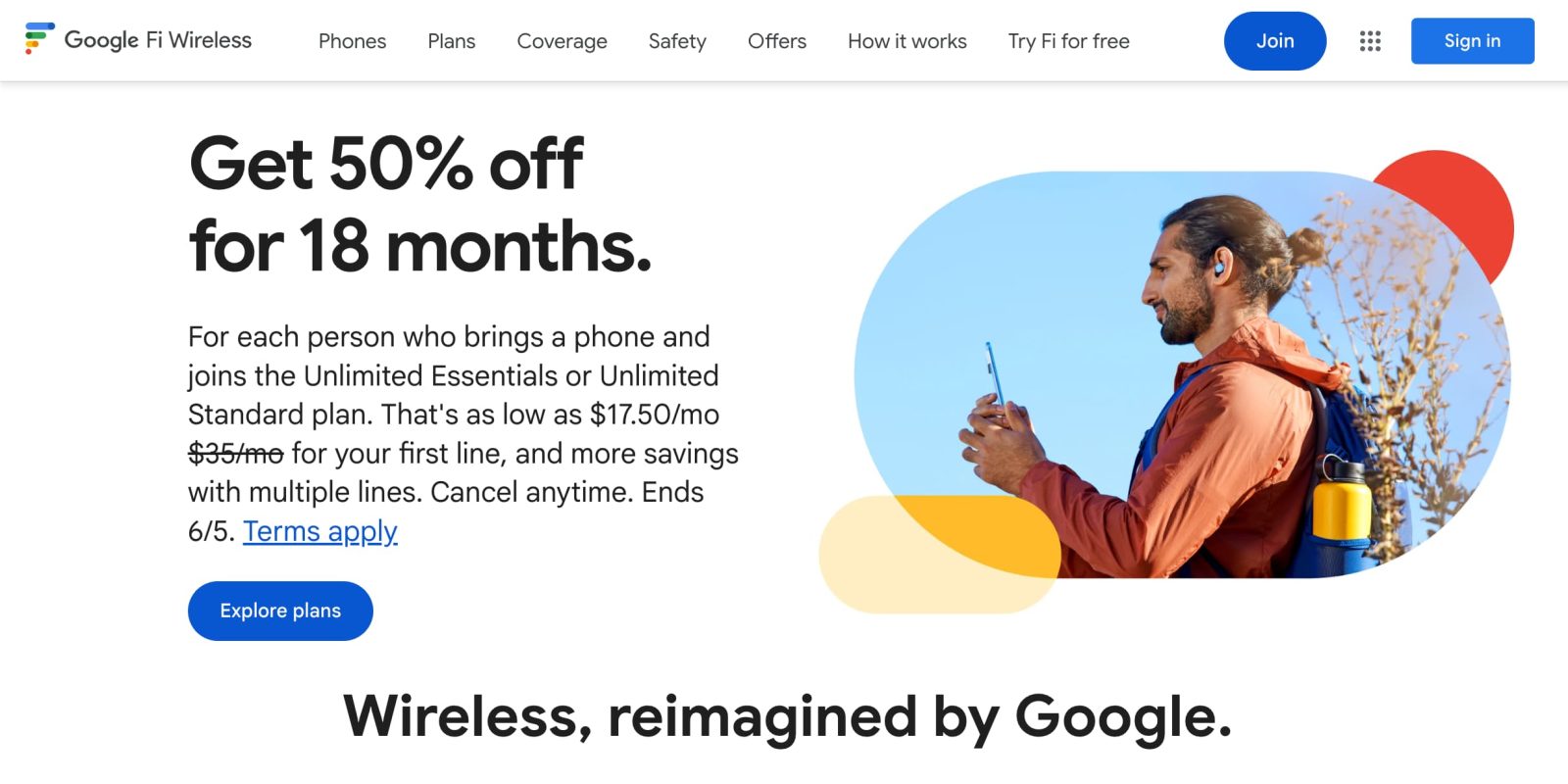
Google Fi Wireless has brought back a 50% off promo for the new Unlimited Essentials and Unlimited Standard plans for 18 months.

This is for new subscribers (which is defined as “someone who has never had Fi service or someone whose last day of Fi service took place more than 180 days before making a purchase with this promotion”) that bring their own Android device or iPhone to the Google MVNO.

Unlimited Essentials was introduced last month as Google’s fourth plan with 30 GB of high-speed data that is then slowed down to 256 kbps. One nice perk is “full connectivity” for supported Wear OS smartwatches (Pixel Watch or Samsung Galaxy Watch). 

  • $17.50/mo for 1 line
  • $15/mo per line for 2 lines
  • $13.50/mo per line for 3 lines
  • $11.50/mo per line for 4+ lines 

Meanwhile, the upgraded Unlimited Standard gives you 50 GB of data per person every month. Google previously offered this promo for 2 years in March. You also get 25 GB of hotspot tethering for other devices, while data in Canada and Mexico is offered. 

Advertisement – scroll for more content

  • $25/mo for 1 line
  • $20/mo per line for 2 lines
  • $15/mo per line for 3 lines
  • $12.50/mo per line for 4+ lines

This promotion ends June 5 “or while supplies last.” Other things to note:


Activate the line within 30 days to redeem the promotion.

Promotion expires 18 months after initial redemption.

Unused monthly bill credits will not roll over to future months.

Must stay on Unlimited Essentials or Unlimited Standard plan for 18 months to redeem the full promotion.

  • Changing or suspending the account, or changing from the Unlimited Essentials or Unlimited Standard plans, before 18 months will void promotion and credits will stop.

While this offer cannot be combined with other device promotions, it will remain valid when purchasing a new device (without any promotion) or switching to a new device before 18 months. 


FTC: We use income earning auto affiliate links. More.


Source link

8 winning Father’s Day gift ideas for Dads who love football

0


Whether he’s glued to the TV every Sunday, yelling “Go long!” at the backyard BBQ, or organizing the family fantasy league, a football-loving dad deserves a gift that speaks his language.

This year, skip the predictable tie and give him something that’ll truly score points.

From officially licensed gear to tailgating essentials, here are 8 gift ideas that will make any football dad feel like an MVP.

NFL Team Jersey

Check even more teams here.

NFL Sunday Subscription

NFL Team-Branded Cooler

Check out even more coolers here.

Madden NFL Video Games

Team Logo Grilling Aprons

Check out all more teams here.

NFL Hats

Check out even more teams here.

NFL Collectables

Check out even more collectables here.

NFL Game Tickets


Source link

Meta plans to automate many of its product risk assessments

0


An AI-powered system could soon take responsibility for evaluating the potential harms and privacy risks of up to 90% of updates made to Meta apps like Instagram and WhatsApp, according to internal documents reportedly viewed by NPR.

NPR says a 2012 agreement between Facebook (now Meta) and the Federal Trade Commission requires the company to conduct privacy reviews of its products, evaluating the risks of any potential updates. Until now, those reviews have been largely conducted by human evaluators.

Under the new system, Meta reportedly said product teams will be asked to fill out a questionaire about their work, then will usually receive an “instant decision” with AI-identified risks, along with requirements that an update or feature must meet before it launches.

This AI-centric approach would allow Meta to update its products more quickly, but one former executive told NPR it also creates “higher risks,” as “negative externalities of product changes are less likely to be prevented before they start causing problems in the world.”

In a statement, Meta seemed to confirm that it’s changing its review system, but it insisted that only “low-risk decisions” will be automated,  while “human expertise” will still be used to examine “novel and complex issues.”


Source link

Kenyan writer Ngugi wa Thiong'o, who rejected writing in the language of the colonizer, dies at 87


Kenyan writer Ngugi wa Thiong’o, who rejected writing in the language of the colonizer, died at 87. NPR’s Scott Simon previously spoke to him about his latest novel and waiting for the Nobel Prize.


Source link

The best VPN services

0


Virtual private networks (VPNs) are notoriously difficult to work with. Maybe you’re a remote worker who has to sign in to one each day to access company services, or you tried it once because you heard you could use it to access international content, but were met with laggy service and frequent disruptions. Today’s VPNs don’t have to come with those headaches. We tested nine of the best VPN services available now to come up with our top picks, and lay out what you should know before paying for one.

We tested nine of the most popular VPN services available now to come up with our top picks, and lay out what you should know before paying for one. Our top pick remains ProtonVPN thanks to its easy-to-use interface, no-logs policy and open-source framework, while other popular options like NordVPN didn’t quite make the cut. While we think ProtonVPN is the best VPN for most people, we lay out other good options you can consider, too.

Editor’s note (5/30/25): We’re in the process of revamping our VPN coverage to provide more in-depth, actionable information and buying guides. Our recommendations, and all the info on this page, are subject to change as the update continues. Check out our revamped ExpressVPN review to see the new direction, or learn more about how we test VPNs.

Image for the large product module

Proton

Simultaneous connections: 10 | Number of devices: 10 | Platforms: Windows, Mac, Android, iOS, and Linux | Browser extensions: Chrome, Firefox | Dedicated IP addresses: Yes, for business users only | Trial/Money-back guarantee: None/30-day money-back guarantee

Read our full ProtonVPN review

The VPNs we tried out ranked pretty consistently across all of our tests, but ProtonVPN stood out as a strong option because of its overall security, usability and privacy features. The Proton Technologies suite of services includes mail, calendar, drive and a VPN known for its end-to-end encryption. This makes it a strong contender for overall security, but its VPN specifically came across as a well-rounded independent service.

ProtonVPN’s no-logs policy has passed audits, and the company has proven not to comply with law enforcement requests. Because it is based in Switzerland, there are no forced logging obligations, according to the company, making it a secure VPN option. Plus, it’s based on an open-source framework, and has an official vulnerability disclosure program along with clear definitions on what it does with personal information.

While ProtonVPN offers a free version, it’s limited compared to other options, with access to server networks in just three countries. Its paid version normally starts at around $5.39 per month, and includes access to VPN server locations in more than 65 countries on 10 devices at a time. While we wouldn’t consider it a cheap VPN, it’s a relatively affordable price for basic protection. For dedicated Proton Technologies users, they can pay closer to $8.63 for a monthly plan to access the entire suite.

ProtonVPN passed our geoblock, streaming and gaming tests with only a very small toll on connection speeds. It also comes with malware-, ad- and tracker-blocking as an additional service, plus it has a kill switch feature on macOS, Windows, Linux, iOS and the latest version of Android. It’s available on most major operating systems, routers, TV services and more including Firefox, Linux and Android TV. For dedicated Linux users, ProtonVPN added a new Linux-specific app to support its services in August.

Pros

  • Easy to use
  • No-logs policy
  • Based on open-source framework
  • Kill switch feature on macOS, Windows, Linux, iOS and Android

$3.39/month at Proton

Image for the large product module

Windscribe

Simultaneous connections: Unlimited | Number of devices: Unlimited | Platforms: Windows, Mac, Android, iOS, and Linux | Browser extensions: Chrome, Firefox | Dedicated IP addresses: No | Trial/Money-back guarantee: None/None

By signing up for Windscribe’s free plan with your email, users can access 10GB per month of data, unlimited connections and access to more than 10 countries. We selected it as the best free VPN because of its high security and wide range of server locations compared to other free VPNs. It has over 500 servers in over 60 countries, according to the company, and can be configured to routers, smart TVs and more on top of the usual operating systems.

Windscribe doesn’t have a recent independent security audit, but it does publish a transparency report showing that it has complied with zero requests for its data, runs a vulnerability disclosure program encouraging researchers to report flaws and offers multiple protocols for users to connect with.

On top of that, it’s easy to use. The set up is intuitive and it passed our geoblock, streaming and gaming tests. The paid version costs $5.75 to $9 each month, depending on the plan you choose, and includes unlimited data, access to all servers and an ad/tracker/malware blocker. Or, for $1 per location per month, users can build a plan tailored to the VPNs they want to access. Windscribe is still expanding its reach, adding Japan to its list of available spots.

Pros

  • 10GB of data per month with free version
  • Unlimited connections with free plan
  • Wide range of server locations
  • Easy to use
Cons

  • Does not offer dedicated IP addresses

$0 at Windscribe

Image for the large product module

ExpressVPN

Simultaneous connections: 8 | Number of devices: 8 | Platforms: Windows, Mac, Android, iOS, and Linux | Browser extensions: Chrome, Firefox | Dedicated IP addresses: No | Trial/Money-back guarantee: 3 free months/30-day money-back guarantee

Read our full Express VPN review

We picked the best VPN service for travel, gaming and streaming based on which one had access to the most locations with fast connections and no lag. ExpressVPN met all those criteria and was one of the most premium VPNs we tried, not to mention one of the fastest VPNs, too. Now, it even comes with an in-house password manager, ExpressVPN Keys, to manage and autofill logins across sites included with the subscription. That will make it easier to toggle between streaming and gaming accounts while browsing securely.

An internet speed test measured faster upload and download speed compared to using no VPN, practically unheard of compared to the other VPNs tested. But being this fast is likely a fluke due to the VPN service circumventing traffic shaping by the ISP or another disparity because even top VPNs will in some way slow down speeds. With 2,000 servers in 160 cities, according to the company, it had one of the broadest global reaches. It also passed our geoblock, streaming and gaming tests, and it does regular security audits. Plus, Network Lock is its kill switch feature, which keeps your data safe even if you lose connection to the VPN. Subscription costs range from $8.32 to $12.95 per month depending on the term of the plan, and include a password manager.

With ExpressVPN, users can connect to up to five devices at once, which is on the lower side compared to other services. That said, it works on a bunch of devices from smart TVs to game consoles, unlike some other services that lack support beyond the usual suspects like smartphones and laptops.

Pros

  • High speed connections with no lag in many locations
  • Supports Network Lock kill switch feature
  • Works on a variety of devices like smart TVs and game consoles

$8.32/month at ExpressVPN

Image for the large product module

CyberGhost

Simultaneous connections: 7 | Number of devices: 7 | Platforms: Windows, Mac, Android, iOS, and Linux | Browser extensions: Chrome, Firefox | Dedicated IP addresses: Yes, additional purchase required | Trial/Money-back guarantee: 2 free months/45-day money-back guarantee

Because several of the best VPN services connect to routers, cross-platform accessibility isn’t always necessary. By connecting a VPN to your home router, you can actually connect to unlimited devices in your household, as long as they all access the internet through that router.

But if you use VPNs on the go, and across several devices, being able to connect to a wide range of platforms will be indispensable. CyberGhost offers simultaneous connectivity on up to seven devices for $2.11 to $12.99 per month depending on subscription term. It supports several types of gadgets like routers, computers, smart TVs and more. It’s similar to the support that ExpressVPN offers, but CyberGhost provides detailed instructions on how to set up the cross-platform connections, making it a bit more user-friendly for those purposes. Plus, it just expanded its network of servers from 91 to 100 countries, adding Bolivia, Ecuador, Peru, Uruguay, Laos, Myanmar, Nepal, Guatemala and the Dominican Republic to its available locations.

From a security perspective, CyberGhost completed an independent security audit by Deloitte earlier this year, runs a vulnerability disclosure program and provides access to a transparency report explaining requests for its data. An updated version of its transparency report went live in August. While it did pass all of our tests, it’s worth noting that we had trouble connecting to servers in the United Kingdom and had to opt to run our gaming test through an Ireland-based server instead.

Pros

  • Works well across different kinds of devices/platforms
  • Provides detailed instructions for setting service up on different devices
Cons

  • Dedicated IP addresses come at an additional cost

$2.11/month at CyberGhost

Image for the large product module

Surfshark

Simultaneous connections: Unlimited | Number of devices: Unlimited | Platforms: Windows, Mac, Android, iOS, and Linux | Browser extensions: Chrome, Firefox, Edge | Dedicated IP addresses: Yes, additional purchase required | Trial/Money-back guarantee: 1 free month/30-day money-back guarantee

Read our full Surfshark VPN review

As we mentioned before, connecting to a router can provide nearly unlimited access to devices in a single household. But Surfshark VPN is one of few VPN services that offer use on an unlimited number of devices without bandwidth restrictions, according to the company. And you get that convenience without a significant increase in price: Surfshark subscriptions cost about $2.49 to $12.95 for a monthly subscription, and the company recently conducted its first independent audit. It added QR-code-enabled login across devices and expanded support for alternative ID profiles since our initial review, a feature that some of its competitors already had.

We ran into some trouble connecting to Surfshark’s WireGuard protocol, but tested on an IKEv2 protocol instead. The VPN speed was a bit slow and struggled to connect for our geoblock test at first, but ultimately passed. What makes it different from other VPNs with unlimited connection options is that it has access to a larger number of servers and is available on more types of devices.

Pros

  • Unlimited simultaneous connections
  • Large number of servers available
Cons

  • On the expensive side
  • Slower speeds than the competition

$2.49/month at Surfshark

VPNs, or virtual private networks, mask your IP address and the identity of your computer or mobile device on the network and creating an encrypted “tunnel” that prevents your internet service provider (ISP) from accessing data about your browsing history. VPNs are not a one-size-fits-all security solution, though.

Instead, they’re just one part of keeping your data private and secure. Roya Ensafi, assistant professor of computer science and engineering at the University of Michigan, told Engadget that VPNs don’t protect against common threats like phishing attacks, nor do they protect your data from being stolen. Much of the data or information is stored with the VPN provider instead of your ISP, which means that using a poorly designed or unprotected network can still undermine your security. But they do come in handy for online privacy when you’re connecting to an untrusted network somewhere public because they tunnel and encrypt your traffic to the next hop.

That means sweeping claims that seem promising, like military-grade encryption or total digital invisibility, may not be totally accurate. Instead, Yael Grauer, program manager of Consumer Reports’ online security guide, recommends looking for security features like open-source software with reproducible builds, up-to-date support for industry-standard protocols like WireGuard (CR’s preferred protocol) or IPsec, and the ability to defend against attack vectors like brute force.

Before considering a VPN, make sure your online security is up to date in other ways. That means complex passwords, multi-factor authentication methods and locking down your data sharing preferences. Even then, you probably don’t need to be using a VPN all the time.

“If you’re just worried about somebody sitting there passively and looking at your data then a VPN is great,” Jed Crandall, an associate professor at Arizona State University, told Engadget.

That brings us to some of the most common uses cases for VPNs. If you use public WiFi networks a lot, like while working at a coffee shop, then VPN usage can help give you private internet access. They’re also helpful for hiding information from other people on your ISP if you don’t want members of your household to know what you’re up to online.

Geoblocking has also become a popular use case as it helps you reach services in other parts of the world. For example, you can access shows that are only available on streaming services, like Netflix, Hulu or Amazon Prime, in other countries, or play online games with people located all over the globe.

There are also a few common VPN features that you should consider before deciding if you want to use one, and which is best for you:

Split tunneling allows you to route some traffic through your VPN, while other traffic has direct access to the internet. This can come in handy when you want to protect certain activity online without losing access to local network devices, or services that work best with location sharing enabled.

A double VPN, otherwise known as multi-hop VPN or a VPN chain, passes your online activity through two different VPN servers one right after the other. For VPN services that support this, users are typically able to choose which two servers they want their traffic to pass through. As you might expect, this provides an extra layer of security.

Whether or not VPNs are worth it depends how often you could use it for the above use cases. If you travel a lot and rely on public WiFi or hotspots, are looking to browse outside of your home country or want to keep your traffic hidden from your ISP, then investing in a VPN will be useful. But, keep in mind that even the best VPN services often slow down your internet connection speed, so they may not be ideal all the time.

In today’s world, we recommend not relying on a VPN connection as your main cybersecurity tool. VPN use can provide a false sense of security, leaving you vulnerable to attack. Plus, if you choose just any VPN, it may not be as secure as just relying on your ISP. That’s because the VPN could be based in a country with weaker data privacy regulation, obligated to hand information over to law enforcement or linked to weak user data protection policies.

For VPN users working in professions like activism or journalism that want to really strengthen their internet security, options like the Tor browser may be a worthwhile alternative, according to Crandall. Tor is free, and while it’s less user-friendly, it’s built for anonymity and privacy.

To test the security specs of different VPNs and name our top picks, we relied on pre-existing academic work through Consumer Reports, VPNalyzer and other sources. We referenced privacy policies, transparency reports and security audits made available to the public. We also considered past security incidents like data breaches.

We looked at price, usage limits, effects on internet speed, possible use cases, ease of use, general functionality and additional “extra” VPN features like multihop. The VPNs were tested across iOS, Android and Mac devices so we could see the state of the mobile apps across various platforms (Windows devices are also supported in most cases). We used the “quick connect” feature on the VPN apps to connect to the “fastest” provider available when testing internet speed, access to IP address data and DNS and WebRTC leaks or when a fault in the encrypted tunnel reveals requests to an ISP.

Otherwise, we conducted a test of geoblocking content by accessing Canada-exclusive Netflix releases, a streaming test by watching a news livestream on YouTube via a Hong Kong-based VPN and a gaming test by playing on servers in the United Kingdom. By performing these tests at the same time, it also allowed us to test claims about simultaneous device use. Here are the VPN services we tested:

Read more: The best password managers for 2023

NordVPN didn’t quite make the cut because it’s overhyped, and underwhelming. As I’ve written in our full review of NordVPN, the pricing, up to $14.49 for a “complete” subscription, seemed high compared to other services, and its free or lower cost plans just didn’t have the same wide variety of features as its competitors.

Despite the cute graphics and user friendliness, TunnelBear wasn’t a top choice. It failed numerous basic security tests from Consumer Reports, and had limited availability across platforms like Linux. It did, however, get a major security boost in July when it updated to support WireGuard protocol across more of its platforms.

Bitdefender doesn’t offer support for devices like routers, which limits its cross-platform accessibility. It also lacked a transparency report or third-party audit to confirm security specs.

Atlas ranked lower on our speed tests compared to the other VPNs tested, with a notably slower difference on web browsing and streaming tests. It was a good option otherwise, but could easily cause headaches for those chasing high speed connections. Security-wise, an Atlas VPN vulnerability leaked Linux users’ real IP addresses.

VPNs are traditionally used to protect your internet traffic. If you’re connected to an untrusted network like public WiFi in a cafe, using a VPN hides what you do from the internet service provider. Then, the owner of the WiFi or hackers trying to get into the system can’t see the identity of your computer or your browsing history.

A common non-textbook use case for VPNs has been accessing geographically restricted content. VPNs can mask your location, so even if you’re based in the United States, they can make it appear as if you’re browsing abroad and unblock access. This is especially useful for streaming content that’s often limited to certain countries, like if you want to watch Canadian Netflix from the US.

A VPN doesn’t hide all of your data. It only hides information like your IP address, location and browser history. A common misconception is that VPNs can make you totally invisible online. But keep in mind that the VPN provider often still has access to all of this information, so it doesn’t grant you total anonymity. You’re also still vulnerable to phishing attacks, hacking and other cyberthreats that you should be mindful of by implementing strong passwords and multi-factor authentication.

Generally, yes. VPNs are a safe and reliable way to encrypt and protect your internet data. But like most online services, the safety specifics vary from provider to provider. You can use resources like third-party audits, Consumer Reports reviews, transparency reports and privacy policies to understand the specifics of your chosen provider.

Yes, you can use a VPN on your phone. Most major VPN services have mobile apps you can install on iPhones and Android devices so you can connect on your phone to protect your mobile browsing.

Google One subscriptions include access to the company’s VPN, which works similarly to other VPNs on our list, hiding your online activity from network operators. However, Google announced recently that it plans to shut down the One VPN because “people simply weren’t using it.” There’s no specific date for the shutdown, with Google simply saying it will discontinue the service sometime in 2024. Pixel phone owners, however, will continue to have access to the free VPN available on their devices.

April 2025: Updated for timeliness and to ensure our top picks are still current.

October 2024: Added a “read more” section with links to additional VPN content.

June 2024: Updated to include table of contents.


Source link